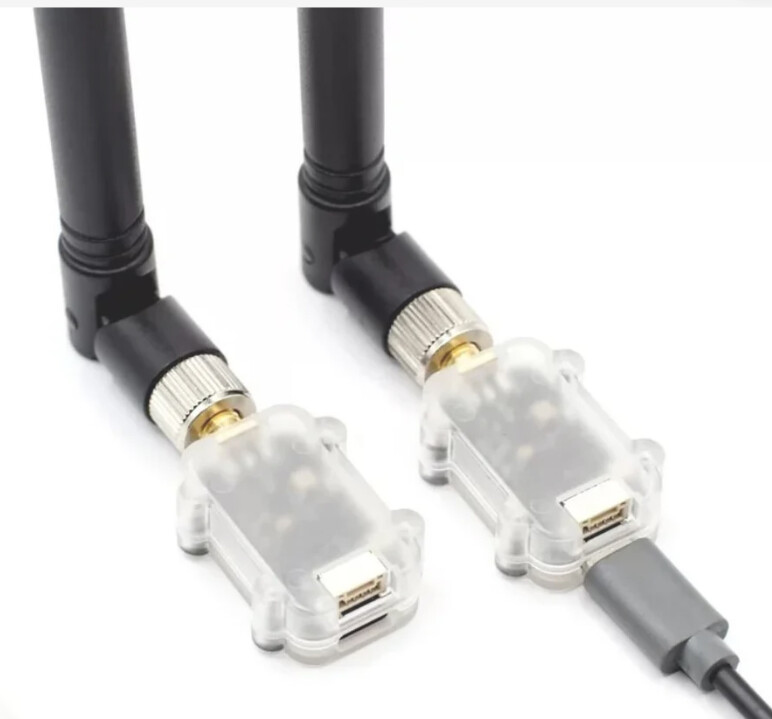
YRRC 915 MHz Telemetry Issue px4 v1.17 and qgc

I am using a YRRC 915 MHz, 500 mW telemetry radio at a baud rate of 57600 with PX4 v1.17. The telemetry was working fine a few days ago, but recently it stopped functioning properly.

When I connect the vehicle to QGroundControl (QGC), the parameter download progress bar only reaches about halfway and then gets stuck. QGC displays the following error messages:
Vehicle 1 did not respond to request for parameter

MAVLink loss: approximately 93%. Since the setup was working properly before, I am unsure whether this issue is related to the PX4 firmware, the telemetry radio, or the configuration.

Has anyone experienced a similar issue or have any suggestions for troubleshooting it? Could this be a firmware-related issue, or should I check or replace the telemetry radios?

Hi Samim,

A MAVLink packet loss rate of approximately 93% is significant and could explain why QGroundControl cannot complete the parameter download.

Before replacing the telemetry radios or suspecting a PX4 v1.17 firmware issue, I would recommend one important test:

Connect the flight controller directly to QGroundControl via USB and check whether the parameter download completes successfully.

If USB works correctly, the next step would be to investigate the telemetry link, including radio configuration, UART baud rate, MAVLink bandwidth, power supply and potential RF interference.

If the problem persists, I can also offer professional PX4/MAVLink diagnostic and reliability assessment services through PAMILANGA LTD, including structured root-cause analysis and documented validation.

For a commercial or research project requiring dedicated engineering support, we can define a fixed-scope, paid engagement.

You can contact us directly at info@pamilanga.com.

Could you confirm whether parameter downloading works normally over USB?

Best regards,
Yiğitcan Öztürk
PAMILANGA LTD
www.pamilanga.com

The USB connection is working fine and all the parameters are downloading

Hi Samim,

Thanks for confirming. That’s a useful diagnostic result.

Since QGroundControl downloads all parameters successfully over USB, the issue appears to be associated with the telemetry communication path rather than the PX4 parameter system itself.

Before replacing either radio, could you confirm three things?

  1. Which flight controller and telemetry port (TELEM1 or TELEM2) are you using?

  2. Have you checked that the PX4 serial baud rate and both radio modules’ serial settings match?

  3. Does the reported 93% MAVLink packet loss occur even when the vehicle is stationary, with the radios at a short, safe test distance?

If possible, please also share the relevant MAV_X_CONFIG, MAV_X_RATE and SER_TELx_BAUD parameter values.

These details should help distinguish a serial configuration issue from RF link degradation or bandwidth saturation.

If this is a commercial or research deployment requiring a complete investigation, PAMILANGA LTD can also provide a separately scoped, paid PX4/MAVLink reliability assessment.

Best regards,
Yiğitcan Öztürk
PAMILANGA LTD

All of these are default values. It was working previously but now it fails to load parameters mid way

Hi Samim,

Thanks for sharing the parameters.

Nothing in those values immediately establishes a PX4 firmware fault. Since parameter downloading works correctly over USB, I would focus on isolating the telemetry link before replacing the radios.

Two controlled checks would be particularly useful:

1. Radio link quality

With the vehicle safely stationary and the antennas properly connected, check the radio link status, RSSI/noise information (if supported), and MAVLink packet loss.

Does the approximately 93% packet loss appear immediately after connecting, or only when QGroundControl starts requesting parameters?

2. Radio serial configuration and throughput

Please verify that both YRRC radio modules have matching serial settings and compatible air-link settings.

Although SER_TEL1_BAUD=57600, this does not necessarily mean the wireless link can sustain that throughput.

Also, have you tried the same radios with another USB-to-serial device or a known-good telemetry setup? This could help isolate the radio pair from the flight controller.

I would avoid changing several PX4 parameters simultaneously, as that would make the root cause harder to identify.

One additional question: did anything change shortly before the issue started, such as wiring, power supply, antenna placement, radio configuration, or operating environment?

These results should help us distinguish RF degradation, serial communication problems, and link saturation.

Best regards,
Yiğitcan Öztürk
PAMILANGA LTD


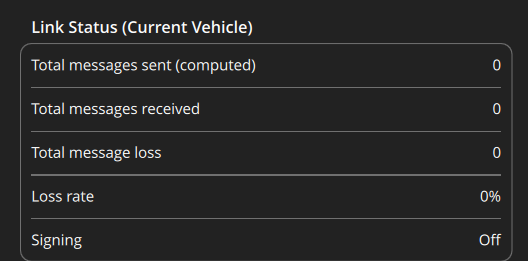
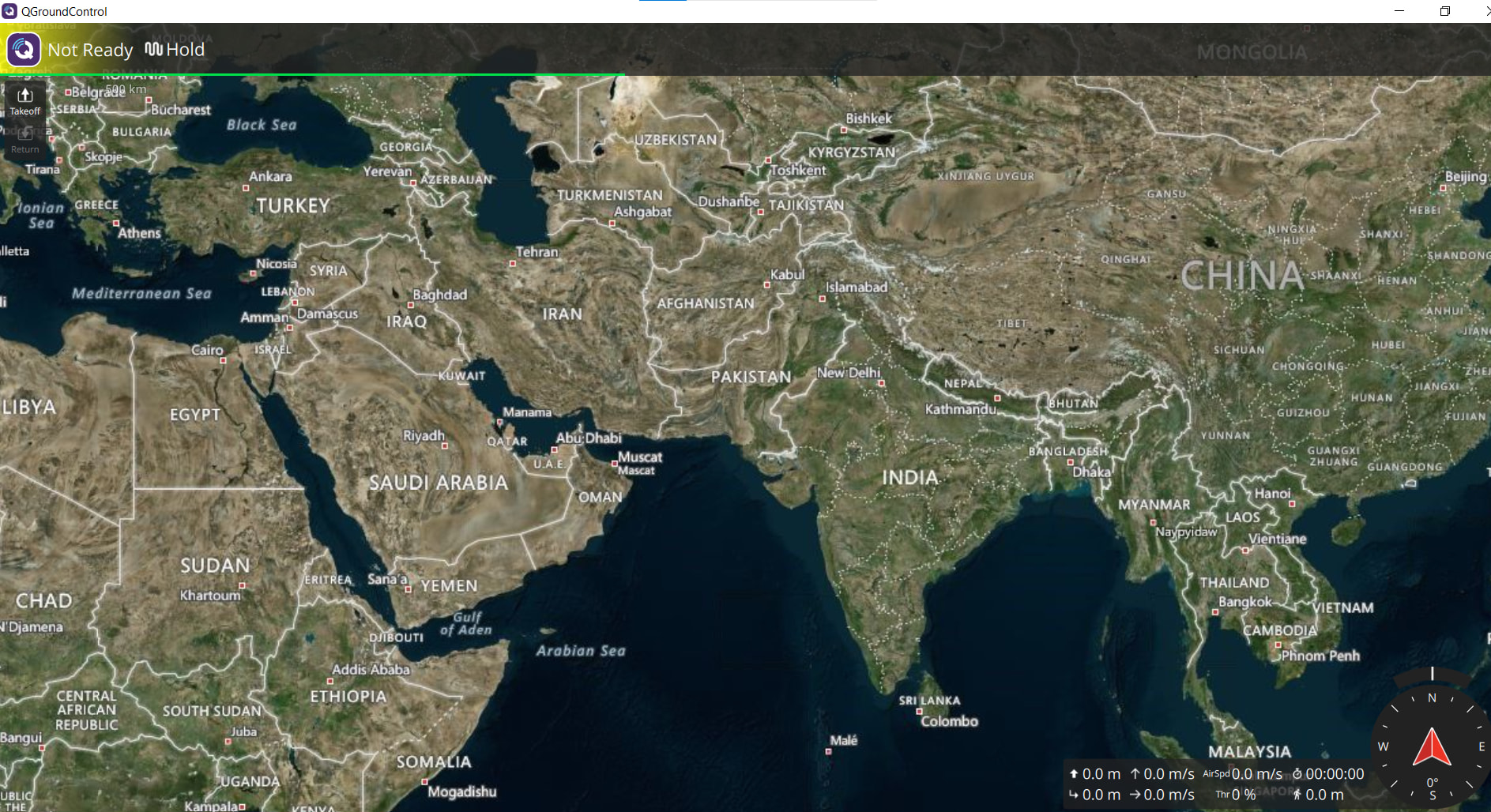
As you can see in this picture, the loading are just stucked. The 93% loss is now gone as you can see there is no packet send or received.
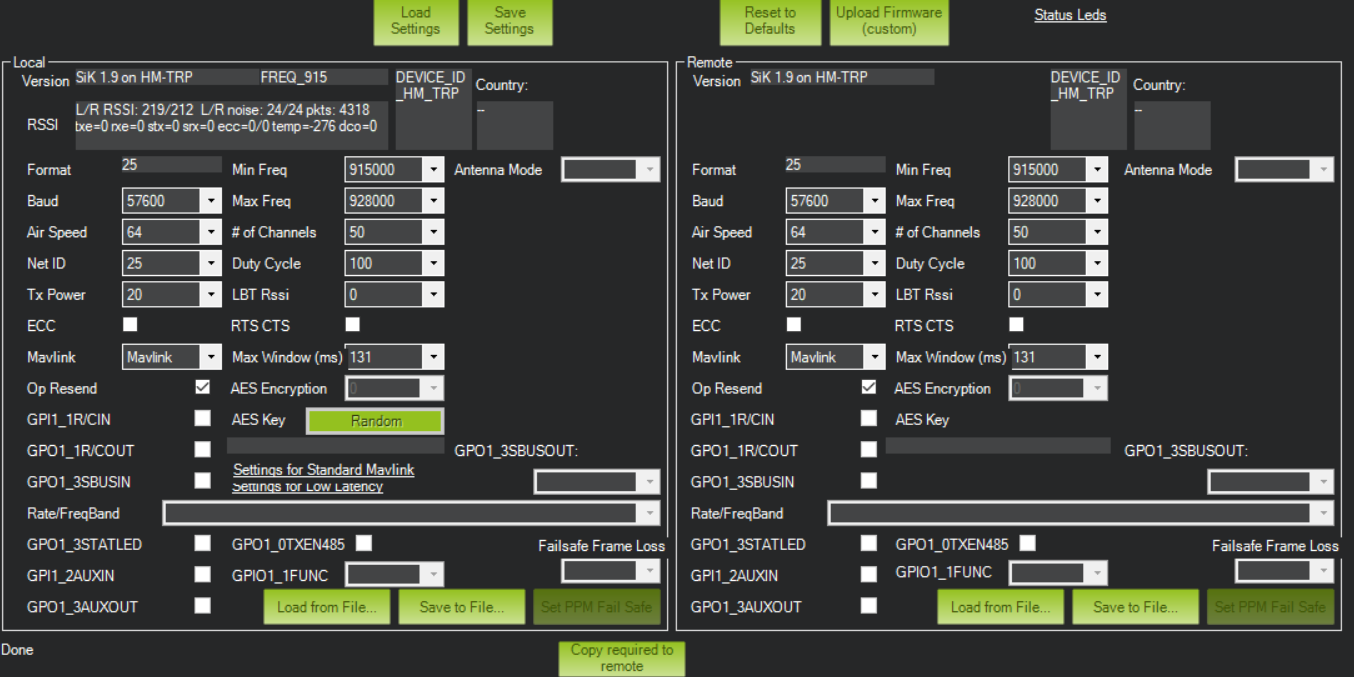
here is my radio setup viewed from MP

Originally I had cts and rts wiring connected to each other but now I removed them completely. That’s the only change I’ve done as my yrrc air module has only 4 pins (RX,TX,VCC,GND) but pixhawk has 6 pins for telem1

Hi Samim,

Thanks for the additional screenshots and wiring details. The CTS/RTS information is particularly important.

The QGroundControl status now showing zero messages sent, zero received and 0% loss does not demonstrate a healthy connection. It means no message loss is being counted in that view, so we first need to establish whether MAVLink communication is actually taking place.

Your SiK configuration screenshots also appear to show RTS/CTS disabled on both radios.

Since your air radio exposes only RX, TX, VCC and GND, I would focus on the serial interface before replacing hardware.

Could you confirm the following?

  1. Which exact Pixhawk model are you using?

  2. Is the air radio TX connected to the Pixhawk TELEM1 RX, and air radio RX connected to TELEM1 TX, with a common ground?

  3. What is the radio’s required supply voltage, and how is it powered?

  4. When CTS/RTS were previously connected, were they wired to actual flow-control pins or connected together?

  5. Does the ground radio still establish a radio link with the air radio?

One additional point: please check the PX4 serial hardware flow-control setting for the MAVLink instance assigned to TELEM1, if that setting is available in your build. A radio without CTS/RTS support should not be paired with a UART configuration that requires hardware flow control.

I would avoid reconnecting or shorting CTS/RTS pins without checking the exact hardware pinouts.

The next useful step is to verify physical wiring and flow-control compatibility, then confirm whether MAVLink HEARTBEAT messages are arriving through the telemetry link.

That should tell us whether we are dealing with a serial communication failure or a radio-link problem.

Best regards,
Yiğitcan Öztürk

Hi ozturk

  1. I’m using pixhawk 4 almunium case
  2. Yes both air and ground module has solid green light indicating they are paired with each other. Yeah the radio Tx is connected to telem1 rx and radio Rx is connected to telem 1 tx.
  3. I’m not sure about the required voltage. I’m assuming pixhawk 5v is supplied to the radio.
  4. Yeah the cts/rts were wired but their other terminal where shorted togethe as both were 3.3V
  5. Yeah solid green light on both module indicating they are connected.
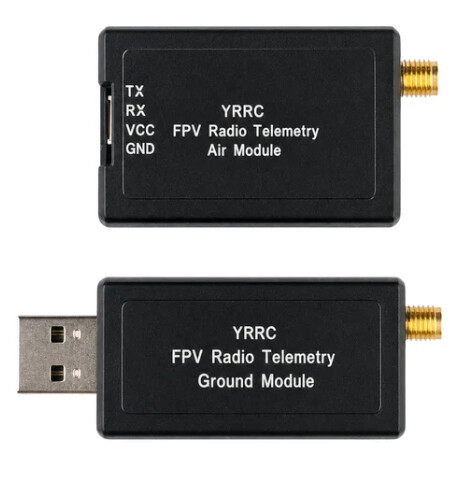
    This is my radio

“One additional point: please check the PX4 serial hardware flow-control setting for the MAVLink instance assigned to TELEM1, if that setting is available in your build. A radio without CTS/RTS support should not be paired with a UART configuration that requires hardware flow control.”
How to do this?
The physical wiring is correct I guess as the orientation is changing in QGC when I move the pixhawk.

Hi Samim,

Thanks for the details. Your latest information is very helpful.

Since QGC updates the vehicle orientation when you move the Pixhawk, at least some MAVLink telemetry is getting through. The solid green radio LEDs are encouraging, but they do not confirm reliable bidirectional data transfer.

For your question about hardware flow control, PX4 provides a parameter called MAV_0_FLOW_CTRL.

You can check it as follows:

  1. Connect the Pixhawk directly to QGroundControl via USB.

  2. Open Vehicle Setup → Parameters.

  3. Search for MAV_0_FLOW_CTRL.

  4. Note its current value before making any changes.

The available settings are:

  • 0 — Force off

  • 1 — Force on

  • 2 — Auto-detected

Since your MAVLink instance 0 is assigned to TELEM1 and your YRRC air module exposes only TX, RX, VCC and GND, I would suggest testing MAV_0_FLOW_CTRL = 0 (Force off).

Save the parameter, reboot the Pixhawk, disconnect USB and test the radio-only QGC connection again, with the vehicle safely disarmed and propellers removed.

Please leave the CTS/RTS wires disconnected during this test. Do not short those pins together.

Then check whether parameter downloading completes and whether the connection remains stable.

Also, please verify the radio’s specified supply-voltage range against the actual voltage supplied by TELEM1. We should not assume compatibility without checking the hardware specification.

If disabling hardware flow control resolves the issue, that would be strong evidence of a flow-control compatibility problem. If it does not, the next step would be to investigate bidirectional serial traffic and radio-link reliability.

Could you share the current MAV_0_FLOW_CTRL value and the result of this single test?

Best regards,
Yiğitcan Öztürk
PAMILANGA LTD

Having set MAV_0_FLOW_CTRL to 0, the issue still remains. Maybe we should investigate bidirectional serial traffic and radio-link reliability.

Thanks
Samim

Hi Samim,

Thanks for testing MAV_0_FLOW_CTRL = 0 and reporting the result.

Since disabling hardware flow control did not resolve the issue, I agree that the next step is to investigate bidirectional serial communication and radio-link reliability.

One important observation is that QGC receives enough telemetry to update the vehicle orientation, but parameter downloading still fails. This suggests that at least some vehicle-to-ground communication is working, while reliable bidirectional communication has not yet been established.

I would suggest two controlled checks:

1. Verify communication in both directions

With the vehicle safely disarmed and connected through the telemetry radios only, check whether QGC can request a parameter refresh and receive responses.

If possible, capture MAVLink traffic on the ground-side serial connection so we can distinguish outgoing parameter requests from incoming responses.

2. Inspect radio-link diagnostics

Check whether the SiK radios expose packet error counters, RSSI, noise levels or retransmission statistics.

A successful radio pairing does not necessarily mean the data link is reliable.

Please also verify the air radio’s supply-voltage requirements and measure the voltage at the module under normal operation.

At this point, I would avoid replacing hardware or changing additional parameters without collecting evidence.

If you would like a complete investigation, we can also structure this as a professional PX4/MAVLink diagnostic engagement through PAMILANGA LTD, with a defined test plan, root-cause analysis and documented findings.

For now, could you confirm whether you have access to a USB-to-UART adapter or another way to capture the ground radio’s serial traffic?

Best regards,
Yiğitcan Öztürk
PAMILANGA LTD

yeah I do have access to USB-to-UART adapter.
But how do I capture ground radio’s serial traffic?
On second note, I tested another telemetry called MicoAir LR900-P 890-915MHz 1000mW 30dBm Data Transmit Module

I am facing the same issue in this telemetry also which was running good few weeks back.

Hi Samim,

Thanks for sharing the photo.

Since you have experienced the same issue with both the YRRC and MicoAir telemetry systems, I think we should first isolate the common hardware and configuration elements before proceeding with serial traffic capture.

Could you please confirm three things?

  1. Did you use the same Pixhawk TELEM1 cable with both telemetry systems, or did each radio have its own cable?

  2. Were both air modules powered directly from the Pixhawk TELEM1 connector?

  3. Could you share a clear photo of the Pixhawk-side connector and the air-module wiring, showing the pin assignments for TX, RX, VCC and GND?

Please do not change the wiring or connect the USB-to-UART adapter yet. We should verify the connector pinout and voltage compatibility first.

Once these details are confirmed, we can establish a safe, receive-only serial capture procedure and investigate the communication failure systematically.

Best regards,
Yiğitcan Öztürk
PAMILANGA LTD

Hello Ozturk
Thanks for you help. I found the solution.
somehow my old jst connectors joining telemetry and pixhawk had the issue. I soldered new wires and now its working fine. Thanks a lot

Regards,
Samim

Hi Samim,

That’s great news! I’m glad you found the issue and got the telemetry working again.

The faulty JST connections also explain why the same symptoms appeared with two different telemetry radio systems.

Thank you for reporting the actual cause. This is a useful reminder that intermittent connector or wiring faults can resemble MAVLink configuration or radio communication problems.

For long-term reliability, I would recommend checking the strain relief and mechanical security of the repaired connections, especially before flight testing.

Glad we could help, and best of luck with your project!

Best regards,
Yiğitcan Öztürk
PAMILANGA LTD