I’m using a Holybro S500 + Pixhawk 4 setup with QGroundControl on a Windows 10 laptop.
I’m working with firmware tag v1.11.0-rc3, with some modifications to the RateControl code.
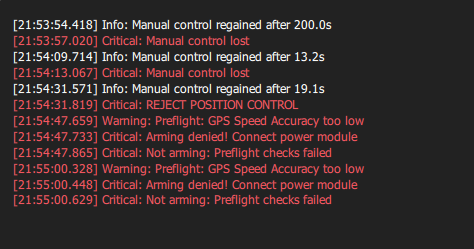
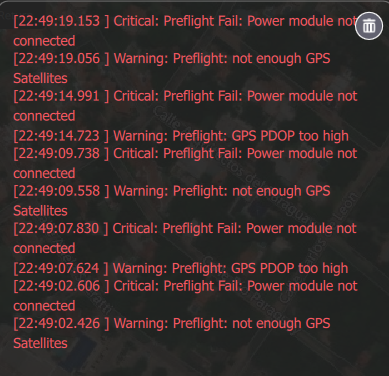
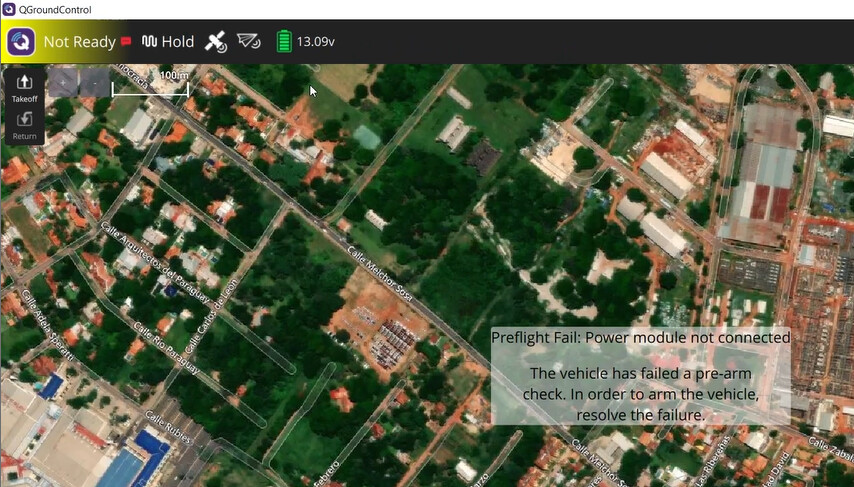
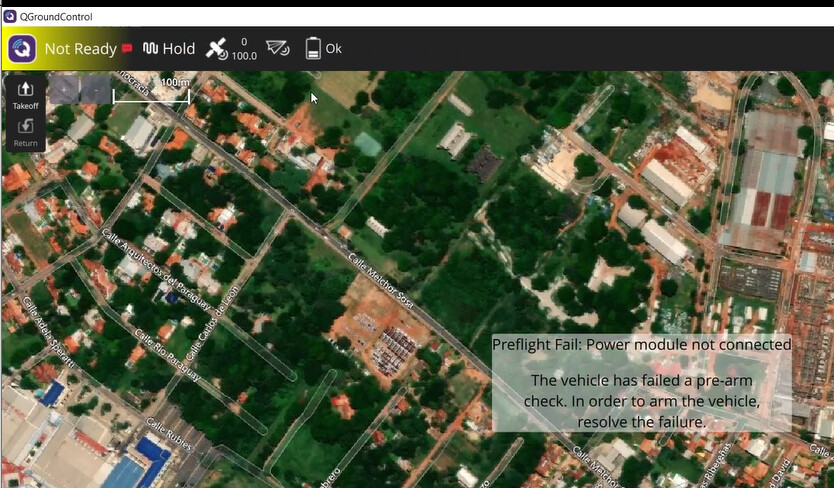
I can’t test my code due to the following error message:
I haven’t found other posts reporting this exact message, which is why I’m opening this issue.
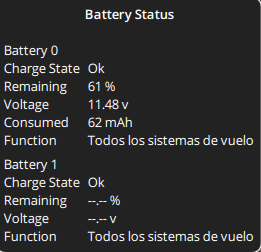
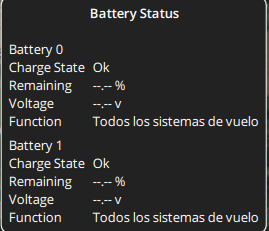
At the same time, the battery status fluctuates between a correct (or at least approximate) reading and a “–.–%” message, as shown in the images below:
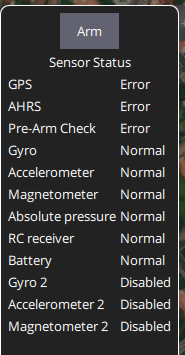
Of course, when the voltage percentage shows “–.–%”, the quadrotor won’t arm. When it does show a valid reading, it sometimes arms, although initially only one rotor starts spinning. Additionally, my controller connection is unstable — sometimes it connects properly, other times I have to restart the vehicle to reconnect.
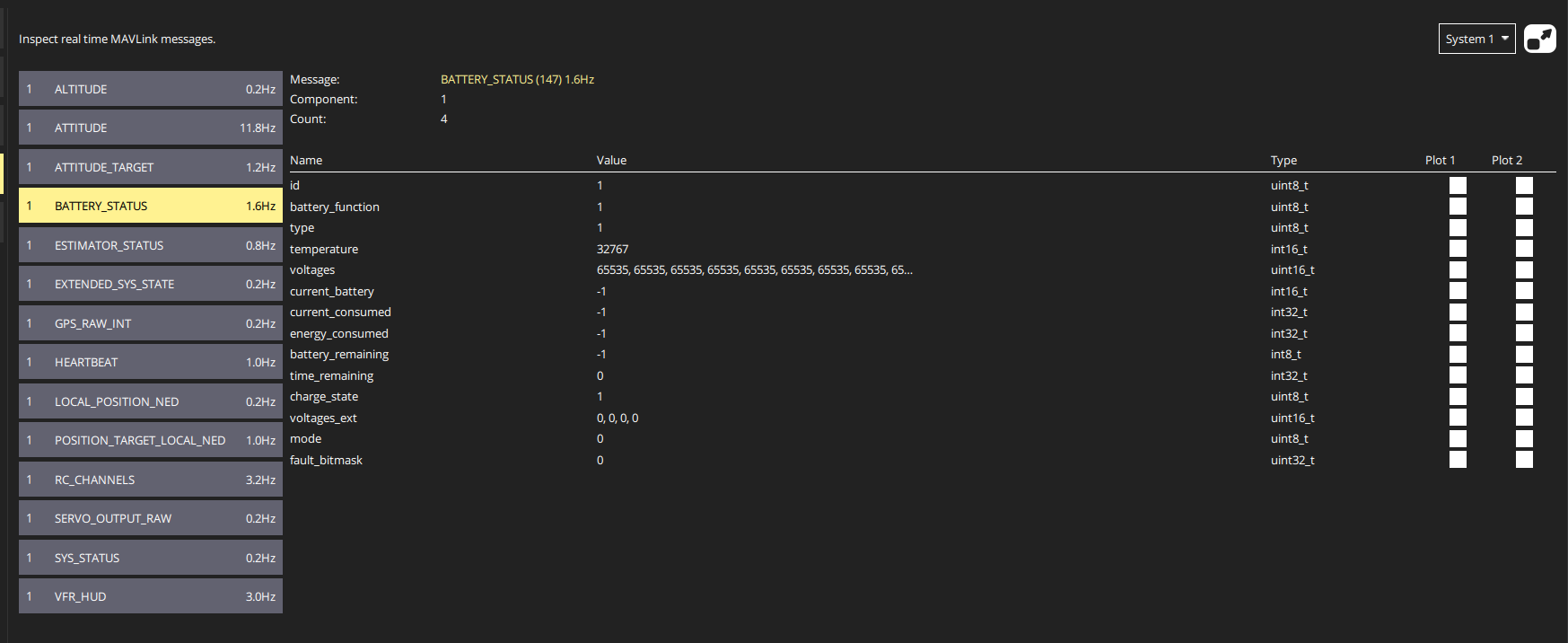
Here are some of the error messages that may help identify the issue:
Sounds like it could be I2C transfer errors. You can check the driver status ina226 status (or whatever power module driver you’re using). I would advise updating to the latest firmware, 1.11 is 5 years old and generally no one wants to provide help with old custom firmware. But an issue that could be related has been raised as recently as last week INA2xx: Debounce battery connection on comms errors by niklaut · Pull Request #25786 · PX4/PX4-Autopilot · GitHub
Update to main and see if the issue is resolved. If not do a little digging around and see if you can determine if the driver is at fault, you may have faulty hardware or cabling. edit: also not many people help on the forum in general, we need more volunteer support
Thank you for your assistance. I followed the recommended steps: updated the firmware, upgraded QGroundControl, and installed the v1.16 stable version as suggested by QGroundControl. Unfortunately, the issue persists, as shown in the attached image, displaying the message: “Power module not connected.”
This suggests the problem might be hardware-related. However, I have not yet checked the driver, as I am unsure where or what to verify.
At this point, I am uncertain whether the issue lies with the power module or the Pixhawk PX4 itself. I suspect the PX4 might also be involved, as it has difficulties connecting to the controller (it does not connect at all). Additionally, when attempting to perform calibration or upload firmware via USB, the connection is unstable and tends to disconnect mid-process.
Could you please advise how I can test which component is failing, and what steps I should take to resolve this issue?
I’m reading the voltage provided by the power module, and the pinout is as follows: VCC, VCC, I (current), V (voltage), GND, GND.
Between VCC and GND, I measure 5.01 V without any issues. I have no voltage reading on the I (current) pin, and on the V (voltage) pin I get 0.6 V.
According to the documentation, the voltage range is 0–3.3 V, representing 0–60 V. Based on this, my 0.6 V reading would correspond to about 10.91 V, while my multimeter reads 11.18 V in the battery.
Does this mean my power module (a Holybro PM02 (V3) Power Module) is working correctly?
How can I rule out possible issues with the drivers, the Pixhawk, or similar components?
@Victor_Villalba thanks for the details. Are you doing customizations on the new firmware as well? I would recommend having all the params back to original and try with 1.16.
Let me know how it goes. GPS and other stuff can be fixed after.
Motors are also acting funny cause first you need to have power issue resolved then be able to calibrate your ESCs.
Hi, thank you for your recommendations. No, I was using the default version of 1.16 and the issue persisted. I also tried resetting all parameters to factory settings in V1.16, but unfortunately it didn’t solve the issue. What else can I try? What can I troubleshoot?
@Victor_Villalba I was not able to reproduce the issue with 1.16 and 1.17 alpha. Since this is analogue reading power module, I would assume it is hardware issue. You could reach out to Holybro support.