I am a student working on a project with PX4 gazebo classic and I have been told to work on the mission mode. I use the advanced_plane model.
The problem is that I observe the pane does not follow the path of the mission very well, especially when there is wind or changes of altitude.
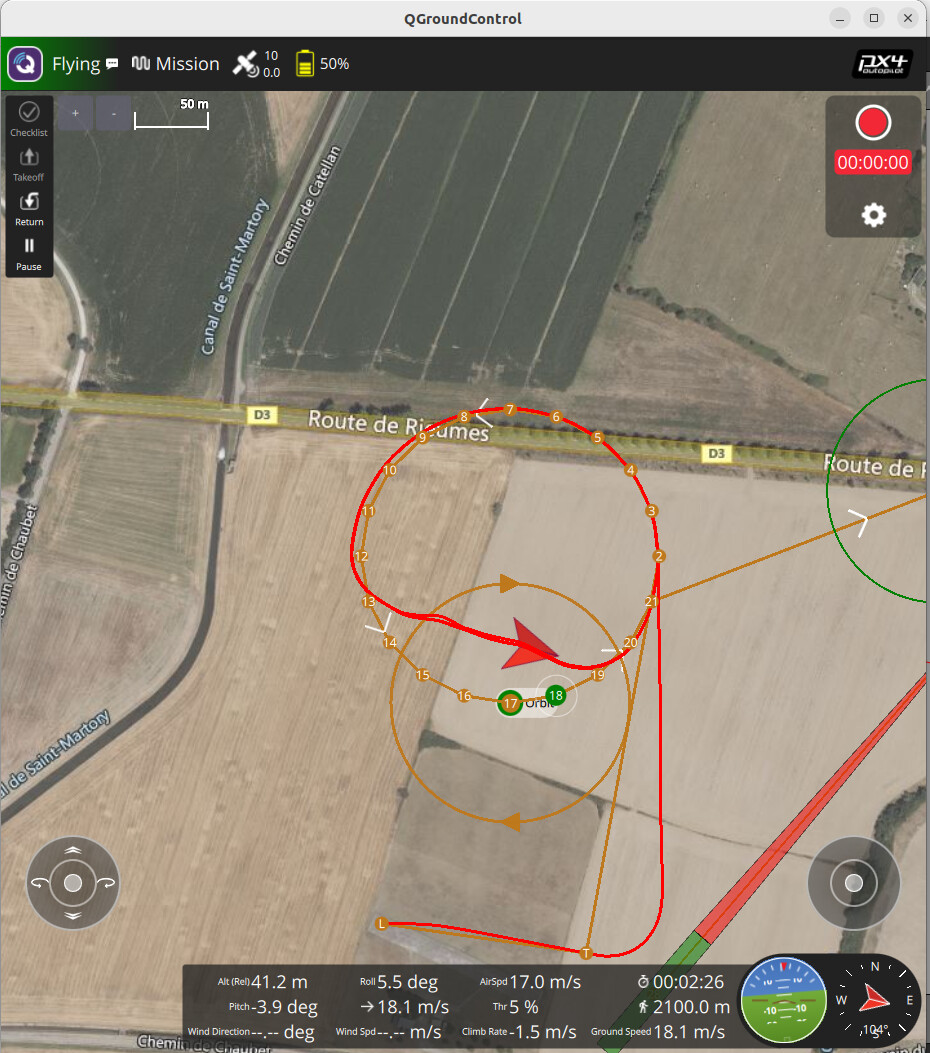
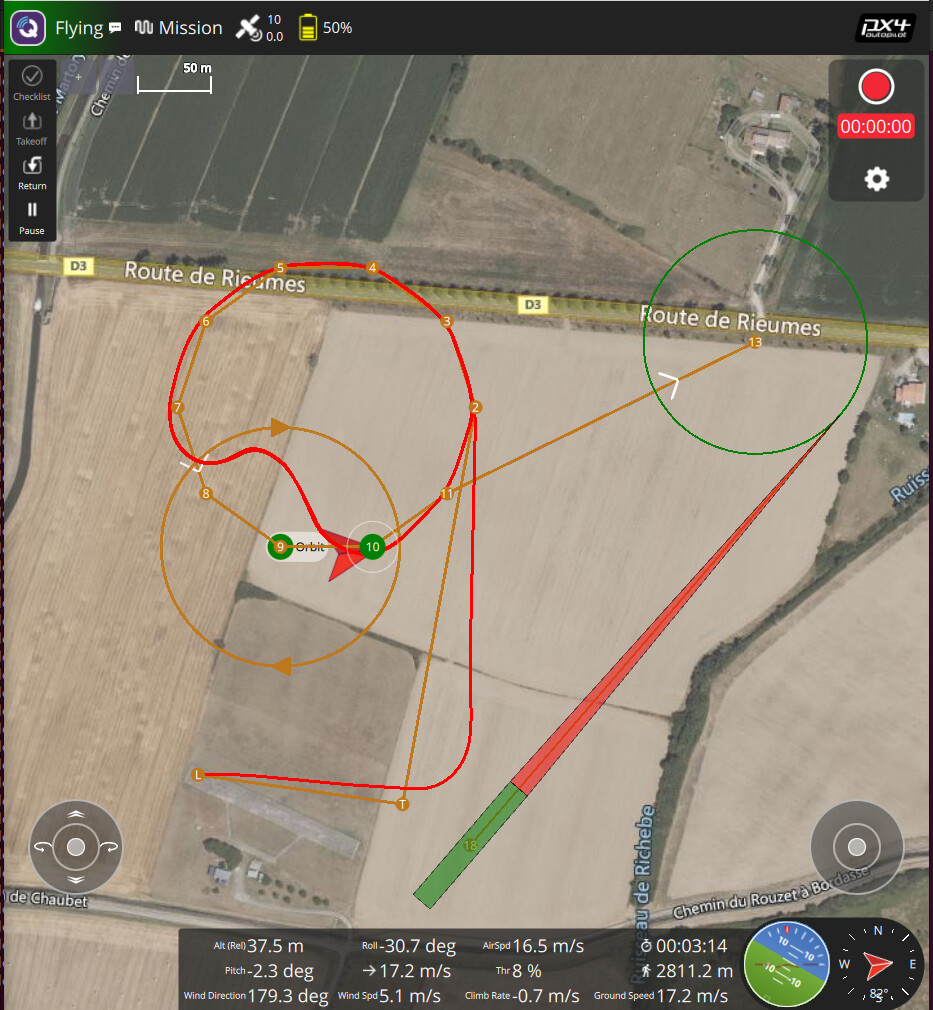
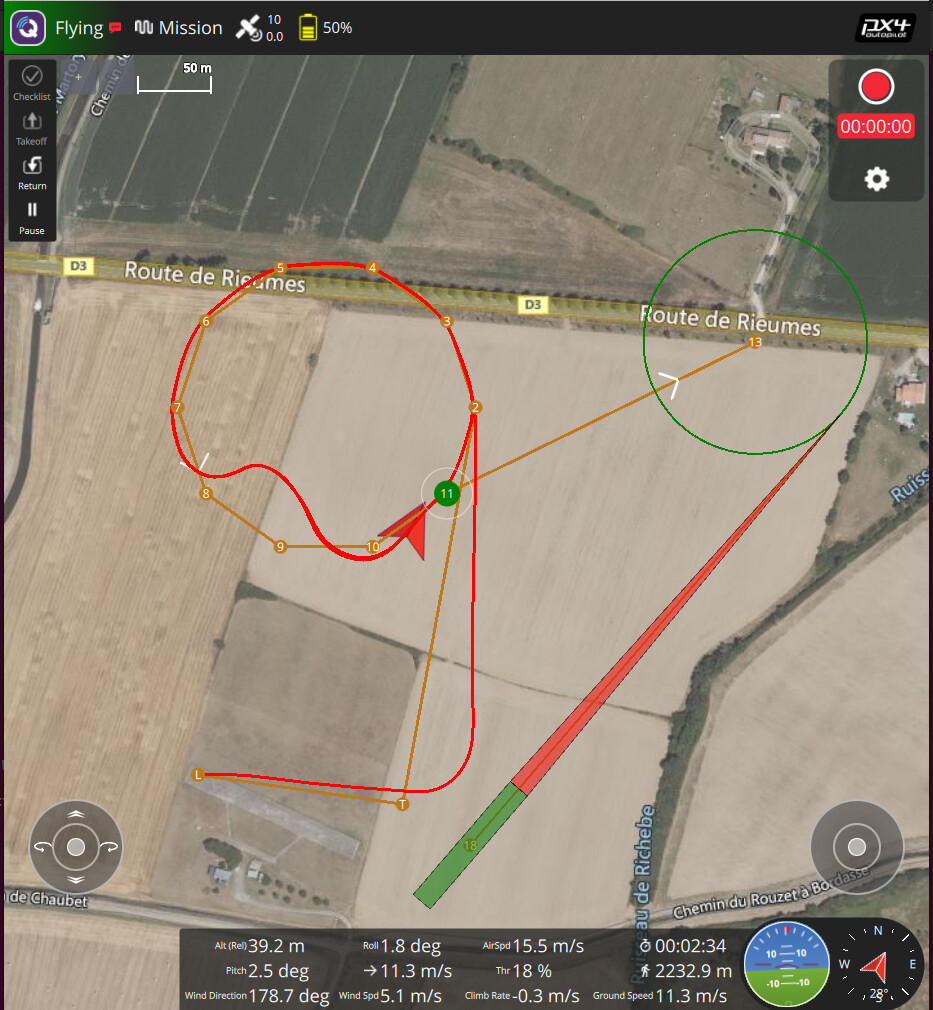
Furthermore, I observe during the mission (via waypoints) that the plane sometimes considers that it did pass by a point, while, in reality, it is very far away this point. I pasted you a picture as an example here:
So, I am trying to implement a vector guidance mode, drawing my inspiration on the autopilot Paparazzi model because a professor of mine told me he had never seen such problems to follow a trajectory on Paparazzi.
I tried to code something on python to switch to off-board mode and follow a trajectory. I want to minimize the difference between the tangent vector of the trajectory and the actual velocity vector of the plane. However, I am not that good to code and I am new in the use of PX4 Gazebo. I face lots of problems to flight (fail-safe mode activated, takeoff not engaged, path not followed, …).
Please has someone already been working on it ? Can someone help me ?
MPC_YAW_MODE
**
During very windy conditions these won’t fix your problem but in normal operation they could be too “loose” for what you are trying to do.
These waypoints are too close together for a fixed-wing guidance that’s waypoint (and not path segments) based. Acceptance is a function of NAV_ACC_RAD and the distance given by the FW guidance, which in turn heavily depends on NPFG_PERIOD. Have a look here.
However, as you can see, there is still a gap between the waypoint and the real trajectory. And it appears on the low part of the circle (which is at a lower altitude than the upper part of the circle).
Do you have an idea to explain and fix this remaining gap and error ?
Yes there is an altitude change ? The circle is inclined by 10°. Points 2 and 7 are at 50m, 4 and 5 five are at about 65 m and points 9 and 11 are at about 35 m.