Quad drifts randomly in Position Hold PX4

Hello everyone,

When switching my quadcopter to Position Hold, the vehicle starts drifting away in a random direction instead of maintaining its position. This issue occurs consistently on PX4 firmware using a Cube Orange+. GPS lock is available before takeoff, compass calibration has been performed (both internal and external tested), and manual flight modes are stable. The drift begins immediately after engaging Position Hold, and the direction is not consistent between flights. Flight logs can be provided if required.

Logs: https://drive.google.com/drive/folders/1_OmhIa0NdYwwY2kl5_cZIxRWhUvxwusv?ths=true

If anyone can provide insights or help, it would be very helpful.

Maybe this is the same problem:

Possibly a PX4 parameter problem:
As I’ve said to him (twice)
My simulations conclusively show that random
drift can be caused by bad PID tuning.
What parameters? I dont know. I changed too many of them.

Hi,

How did you do the PID tuning. Was it in Automode. Also what is your PX4 version

Hi,
If you follow the conversation links you will find a FlightReview log I have published and some description of my custom vehicle and custom PX4 version and parameters. PID tuning was by painful trial-and-error. If you read these you can see that the vehicle is very unusual, and you can see in the log that I have consequently arrived a very unusual set of PX4 parameters. I would be amazed if AutoTuning could find that.

1 Like

Hi,

I have performed autotune in Altitude Hold mode, and the system behavior is good in non-GPS mode.

I am using PX4 version 1.16.1.

I am wondering whether the default parameters are correct, as there is only one H-frame option available: Airframe: BetaFPV Beta75X 2S Brushless Whoop, Quadrotor H.

Dont use v1.16.x. use Px4 v1.15.4 or v1.15.2

I have tested on PX4 v1.15.4 as well, but the result is the same. I am not sure why this is happening, and I am new to PX4.

log file:log file - Google Drive

Now check if there is any loose arms which mounts the motor and propeller. Check if the GPS is mounted firmly without any vibration . Again do a Autotune for PID. Do not try to manually tune PID . Unlike Ardupilot , Px4 is quite capable of handling PID tuning well in Auto mode. Do the Autotune in Altitude mode and not in position mode.

There are no loose propellers or motors, and the GPS module is mounted firmly. Initially, I tried flying using the internal compass, but I encountered random drifting issues. I then switched to the external compass; however, the issue still persists.

The GPS is mounted on a stand more than 10 cm above the frame, so I am not sure why this is happening. I have also shared the log file for your reference.

Additionally, I receive a “Disabling Compass” message in QGC when switching to Position Hold mode but system is flying stable on Altitude hold mode.

I realize that you are having a cube orange + f.c. Never use the internal compass of the orange cube + . Kindly disable this and again recalibrate the whole drone , autotune and check.

Yes, I did that as well, but no luck. I am currently trying IMU temperature calibration and will check again.

Hi, I think it’s a mix of different problems, but for your flights on:
25-02-2026
it looks like the cube’s internal compass was being used for these flights such as this log:

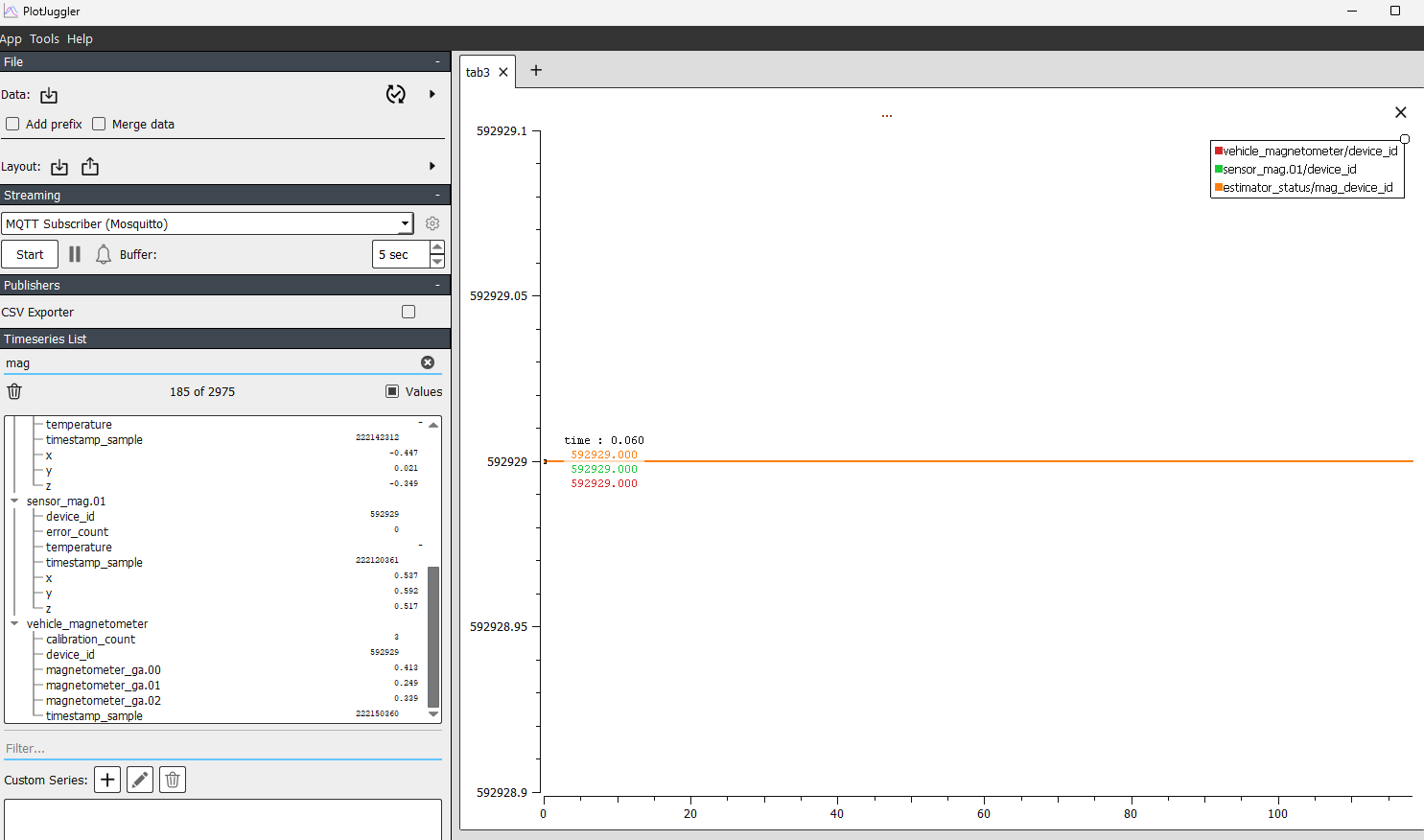
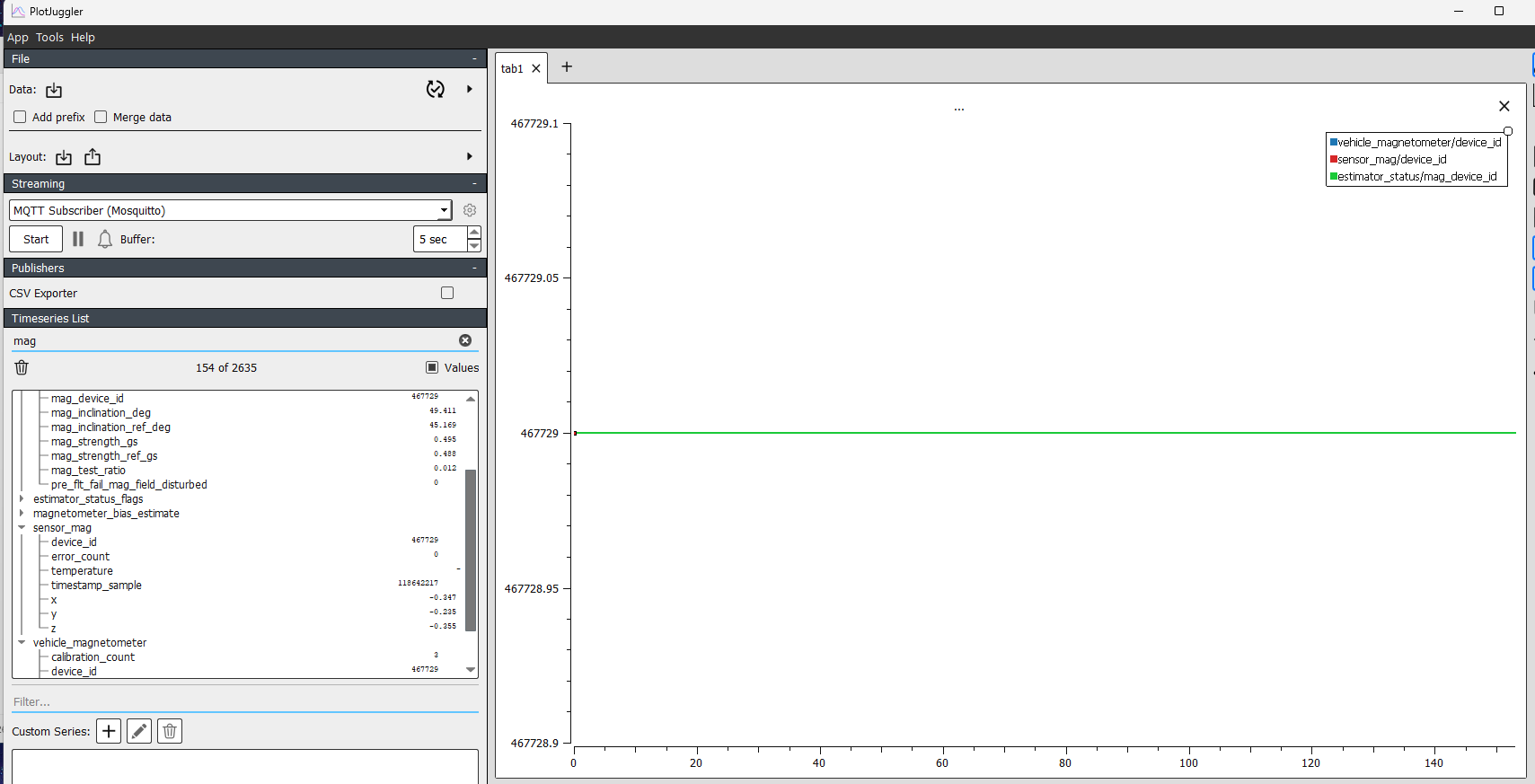
its a bit hard to tell which compass is which, so I might also have it in reverse, but In this flight log your compass was likely suffering from emi, if its the external compass (im assuming you have a gps/compass module), make sure its mounted as far away from esc/motor lines and power supply lines. If the compass used in this log was the internal compass then that plot makes sense, always disable the internal compass. Putting the log in plot juggler we can see that the compass with device id 592929 was being used, if im decoding it right this corresponds to AK09916, the cubes internal compass. CAL_MAG1_ID param in this log is 592929 and CAL_MAG1_PRIO is 75, set it to 0, this should disable it from being used. CAL_MAG0_ID is 467729, this should correspond to RM3100, likely your external compass. in this log, and other logs,CAL_MAG0_PRIO is -1, set it higher than compass 1.

But looking at your recent flights on 05-03-2026 such as:

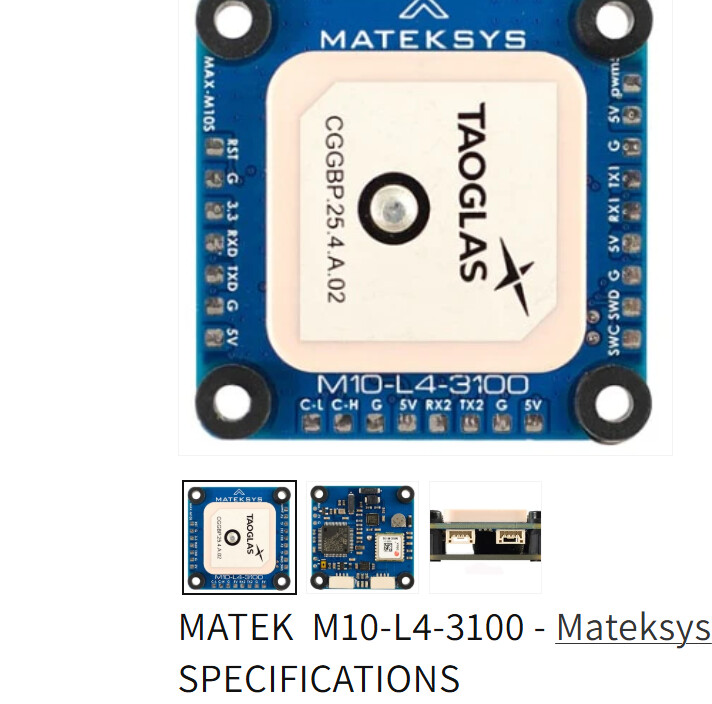
The external compass is being used, which would explain a better thrust and magnetic field, though the spike at the end is a bit weird to me. Make sure the gps/compass module is not close to power regulators, esc/motor lines, power supply lines etc. also i noticed CAL_MAG0_ROT is 12, this is weird to me as usually the external compass is mounted facing in the direction of flight, most gps/compass modules have an arrow telling you the rotation of the compass, if it’s pointed in the direction of flight then CAL_MAG0_ROT should be 0.
Here’s an example:

I also noticed in all of your flights, you have one imu that is experiencing significantly less vibration when looking at the vibration metrics, accel 2, it looks like this is the body fixed imu on the cube, i had a similar experience where the cube’s body fixed imu was performing significantly better on my frame, and I made it so that imu was prioritized instead which resulted in better flight. I recommend taking a look at these parameters: CAL_ACC0_PRIO, CAL_ACC1_PRIO, CAL_ACC2_PRIO, and CAL_GYRO0_PRIO, CAL_GYRO1_PRIO, CAL_GYRO2_PRIO.
In your logs they’re all at 50, set CAL_ACC2_PRIO and CAL_GYRO2_PRIO to max or 75.
I think you should revert the the autotune that was applied, unless you did it when vibration was fine. But I think your main issue is something to do with the compass, wrong rotations such as CAL_MAG0_ROT and SENS_BOARD_ROT, bad calibration etc, yaw related issues would be less prominent in modes like altitude mode because there isn’t heading hold, you control it manually. Heading issues would show up in modes like position mode because heading needs to be accurate in order for the drone to hold it’s heading correctly.

I am using an in-house PCB that has a u-blox GPS and an RM3100 compass. During compass calibration, it automatically detects SENS_BOARD_ROT as Pitch 180°. I have verified this in ArduPilot, and the drone flies well there.

I also tried setting CAL_ACC2_PRIO and CAL_GYRO2_PRIO to High (75), but I do not see any improvement.

Log files: Log file - Google Drive

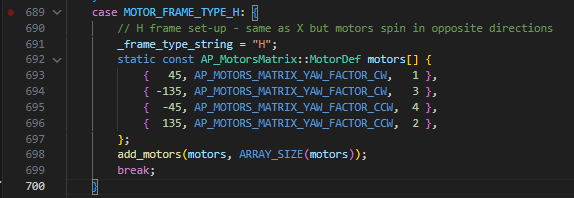
Hi, i think you meant CAL_MAG0_ROT as Pitch 180 right? If the orientations are detected correctly during the compass calibration routine then your rotation parameters are most likely correct, especially if it works in ardupilot. I did notice after setting CAL_ACC2_PRIO and CAL_GYRO2_PRIO to High , the post filtered gyro and accel values do look better to me, and consistent with moments in your previous flights where the estimator had this imu selected, these are good inputs for the estimator to have in general. I’ve never personally used ardupilot, but i’m assuming you chose frame class as quad and frame type as 3, i did skim through ardupilot’s src code and it’s setup for this configuration looks more simple than the H-frame config in PX4:
snippet in ardupilot’s AP_MotorsMatrix.cpp:

I could be missing something but it looks like this is all ardupilot does.
The H-frame config for px4 that you chose looks to be vehicle-specific
possibly this:

this is what happens when you choose BetaFPV Beta75X 2S Brushless Whoop, Quadrotor H:
snippet from ROMFS/px4fmu_common/init.d/airframes/4041_beta75x:

@name BetaFPV Beta75X 2S Brushless Whoop

param set-default CBRK_SUPPLY_CHK 894281

param set-default IMU_GYRO_CUTOFF 100

par@namem set-default IMU_DGYRO_CUTOFF 60

param set-default MC_AIRMODE 2

param set-default MC_PITCHRATE_D 0.001

param set-default MC_PITCHRATE_I 0.5

param set-default MC_PITCHRATE_MAX 600

param set-default MC_PITCHRATE_P 0.075

param set-default MC_PITCH_P 6

param set-default MC_ROLLRATE_D 0.001

param set-default MC_ROLLRATE_I 0.4

param set-default MC_ROLLRATE_MAX 600

param set-default MC_ROLLRATE_P 0.075

param set-default MC_YAWRATE_I 0.3

param set-default MC_YAWRATE_MAX 400

param set-default MC_YAWRATE_P 0.12

param set-default MC_YAW_P 4

param set-default MPC_MANTHR_MIN 0

param set-default MPC_MAN_TILT_MAX 60

param set-default SYS_HAS_BARO 0

param set-default SYS_HAS_MAG 0

param set-default BAT1_N_CELLS 2

# Square quadrotor X with reverse turn direction

param set-default CA_ROTOR_COUNT 4

param set-default CA_ROTOR0_PX 1

param set-default CA_ROTOR0_PY 1

param set-default CA_ROTOR0_KM -0.05

param set-default CA_ROTOR1_PX -1

param set-default CA_ROTOR1_PY -1

param set-default CA_ROTOR1_KM -0.05

param set-default CA_ROTOR2_PX 1

param set-default CA_ROTOR2_PY -1

param set-default CA_ROTOR3_PX -1

param set-default CA_ROTOR3_PY 1

param set-default PWM_MAIN_FUNC1 104

param set-default PWM_MAIN_FUNC2 101

param set-default PWM_MAIN_FUNC3 102

param set-default PWM_MAIN_FUNC4 103

But when I download your current parameters, it looks like you’ve already changed most of the parameters that the config defaults, I would compare your current param settings with the default params above. In your logs, your rate tracking does look bad, my new theory is that it’s likely bad tuning from an incorrect baseline configuration. It could explain why in some flights you got compass errors (when external compass was used), gnss fusion stopped, etc. Bad tuning would cause unpredictable motion that could spike ekf innovations and possibly result in that. This could also explain why ardupilot is fine, it’s baseline configuration for H-Frame looks to be much more simple, and your tuning from that point was correct. I think it might be worth to try starting from scratch (reset tuning parameters etc or even a complete reset). You could probably try quadrotor X configuration, and tune from there as this is what it does:

Square quadrotor X PX4 numbering

param set-default CA_ROTOR_COUNT 4

param set-default CA_ROTOR0_PX 1

param set-default CA_ROTOR0_PY 1

param set-default CA_ROTOR1_PX -1

param set-default CA_ROTOR1_PY -1

param set-default CA_ROTOR2_PX 1

param set-default CA_ROTOR2_PY -1

param set-default CA_ROTOR2_KM -0.05

param set-default CA_ROTOR3_PX -1

param set-default CA_ROTOR3_PY 1

param set-default CA_ROTOR3_KM -0.05

you can probably copy the Betafpv H-Frame CA_ROTOR params if you need it.

Hy @emarcphera

Today, I switched from an H-frame to an X-frame and reset all parameters to their default values, but I still encountered the same issue. I also set the external compass as the primary sensor and set CAL_ACC2_PRIO and CAL_GYRO2_PRIO to High (75), but this did not improve the behavior.

I have attached today’s log files and the frame photo in the link below for reference.

Log file; log_file_10_03 - Google Drive