Drone stability (drifting)

Greetings community,

I am currently in the middle of my first drone (quadcopter) project, and I am looking for an expert opinion on whether everything is as it should be.

After searching the internet, I chose the components and put everything together. I managed to make my first flights (and crashes).

What bothers me is the constant drifting of the drone. When I release the roll/pitch command, the drone starts drifting in a random direction. I say random because the drift direction is not consistent. Usually, at the beginning of the flight, it drifts backward, but this changes during the flight. The flight height is also not stable. If the throttle is released, the drone oscillates up and down by about 0.5–1 m.

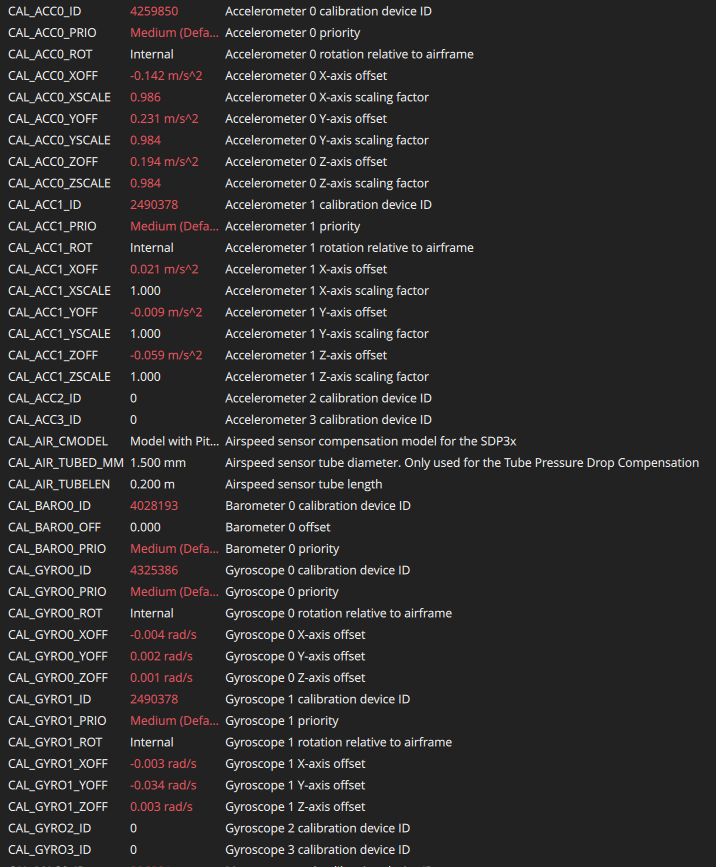
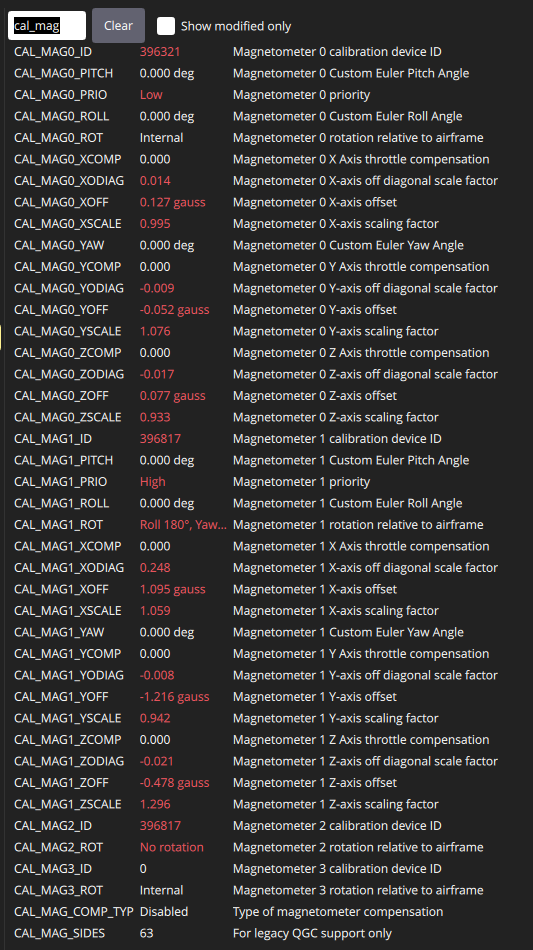
I am doing the tests at a low height of up to 2 m, flying in stabilized mode. I tried calibrating the sensors multiple times with no real improvement. It got slightly better when I connected the GPS module with the internal compass (I am not using GPS, only the compass). For now, I limited the maximum throttle to 50% using MPC_THR_MAX = 0.5 because the drone was too powerful for my beginner skills.

My question is: is this normal? How stable can a home‑built drone be? I’ve seen completely stable drones flying indoors without GPS. I don’t want to switch to position mode until I tune the drone as well as possible.

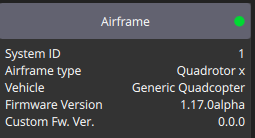
Firmware: I am using firmware 1.17.0 because I have an ELRS radio and needed to flash a custom version. I followed the instructions in the PX4 docs. Would it be better to make a custom build with V1.16?
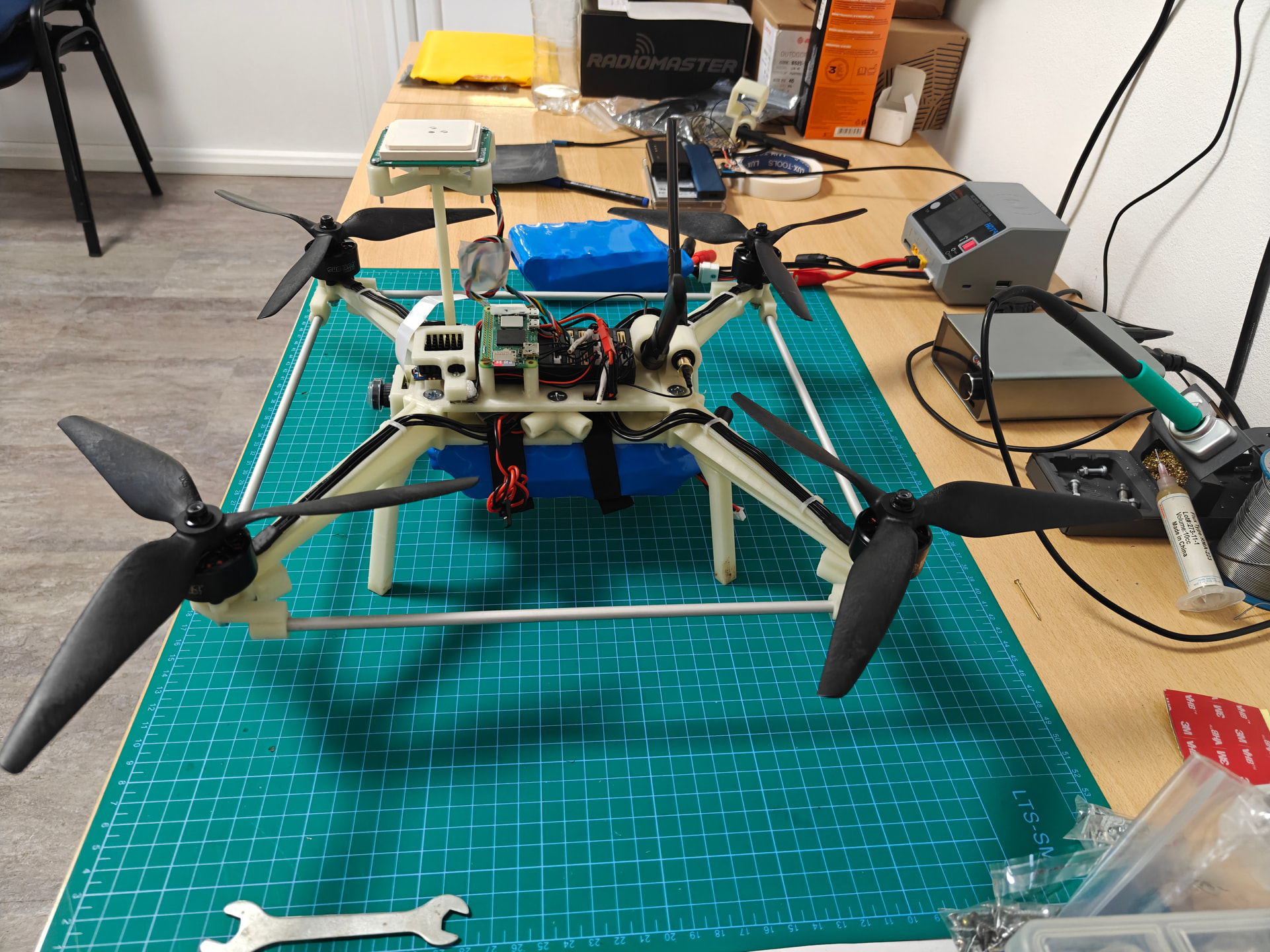
Hardware: Pixhawk 6C, Teko32 F4in1 65A ESC (DShot600), 5V BEC, DATAGNSS 1305 GPS, Raspberry Pi Zero 2 (OpenHD for telemetry + video), BL‑M8812EU (Wi‑Fi chip), generic Wi‑Fi antennas, 4× Surpass Hobby BAT 2812 900KV motors, ELRS receiver, Radiomaster Boxer ELRS transmitter. Total drone weight is approx. 1.5 kg.

Sensor calibration:
Two logs of test flights:

Thank you all for the support.

P.S: A few pictures for attention.
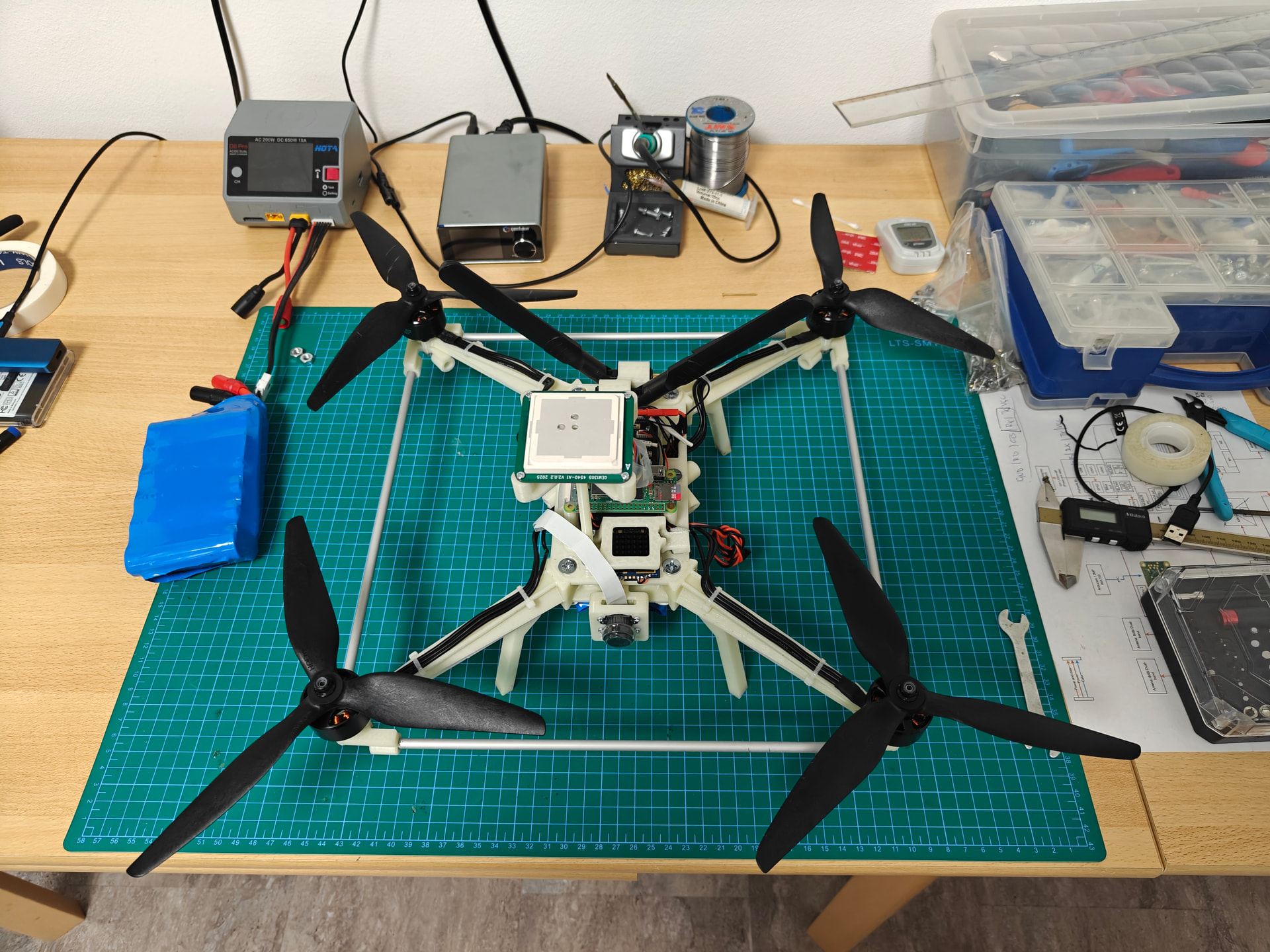
Looks like a nice vehicle!
Unfortunately I am not the expert you are looking for. But from my own SITL simulation experience with a new vehicle I can say that this behaviour could be the result of bad tuning of model parameters.

Looking at “Non-default Parameters” in your flight log I can see that you have not changed default values of PID parameters. I would guess that the default values are not appropriate.

I would try adjusting parameters in a simulation, before risking hardware.
Im looking for advice on that myself ( **https://logs.px4.io/plot_app?log=d8a92768-b62a-4193-9d6a-5431149266b1 ), but possibly we could help each other. Let me know if you have any question I might be able to answer.
Don

Thank you! Like you said, the PID parameters weren’t tuned yet. I can blame the occasional twitching and poor control on the PID, but I guess the drift isn’t caused by that.

Right now I’m dealing with vibrations on the drone, because I’m pretty sure they are the main reason for this behaviour. I did a modal analysis of the frame and the first harmonic is around ~103 Hz, which matches the hover throttle at ~6000 RPM. I’m currently updating the frame to push that first harmonic up to at least 125 Hz. As soon as I finish that, I’ll start with the PID tuning. I wanted to run autotune just to get approximate PID values, but it always failed — most likely because of the vibrations.

In the meantime, I set up the GPS (Datagnss 1305), and with that the drone is very stable. It doesn’t drift and it keeps its position within about 20 cm.

I have zero experience with SITL simulation, so I’m not really sure what data you would need from me to tune the vehicle. For now, I’ve been following Chris Rosser’s tuning guide series on YouTube. It’s very helpful, and my plan was to tune everything through real flights. If you think you can help me with the PID tuning, I’d be very happy to accept the help.

Gašper

1 Like

Hi
SITL simulation is easy using Gazebo and Qgroundcontrol : Gazebo is automatically started when you build and run a simulated vehicle with PX4. See

On Ubuntu 24.04 I find I have to build twice in the same terminal for the model to be displayed in Gazebo.

The main issue for you might be that your frame is not standard, so choose the closest one, modify its Inertial parameters, preferably to a new vehicle, or just overwrite the original if there’s no risk of confusion later. From my unreliable memory this file is
-/px4_autopilot/Tools/simulation/gz/models/name-of-model/model.sdf

I measured Izz and Ixx by hanging the vehicle from my ceiling by a strap of known stiffness and timing its twisting oscillations. More details if you want.

My simulations conclusively show that random drift CAN be caused by bad PID tuning.
What parameters? I dont know. I changed too many of them.