

So, my problem is as follows:
Using the px4 manual, I configured an internet connection on the flight controller, netman show:
nsh> netman show
DEVICE=eth0
BOOTPROTO=fallback
NETMASK=255.255.255.0
IPADDR=192.168.0.4
ROUTER=192.168.0.1
DNS=192.168.0.1
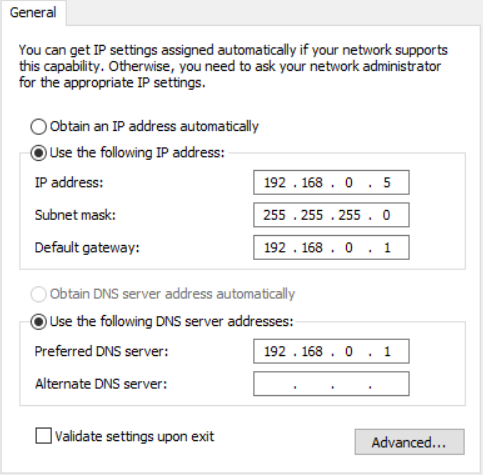
Configuration of a PC running windows 10:
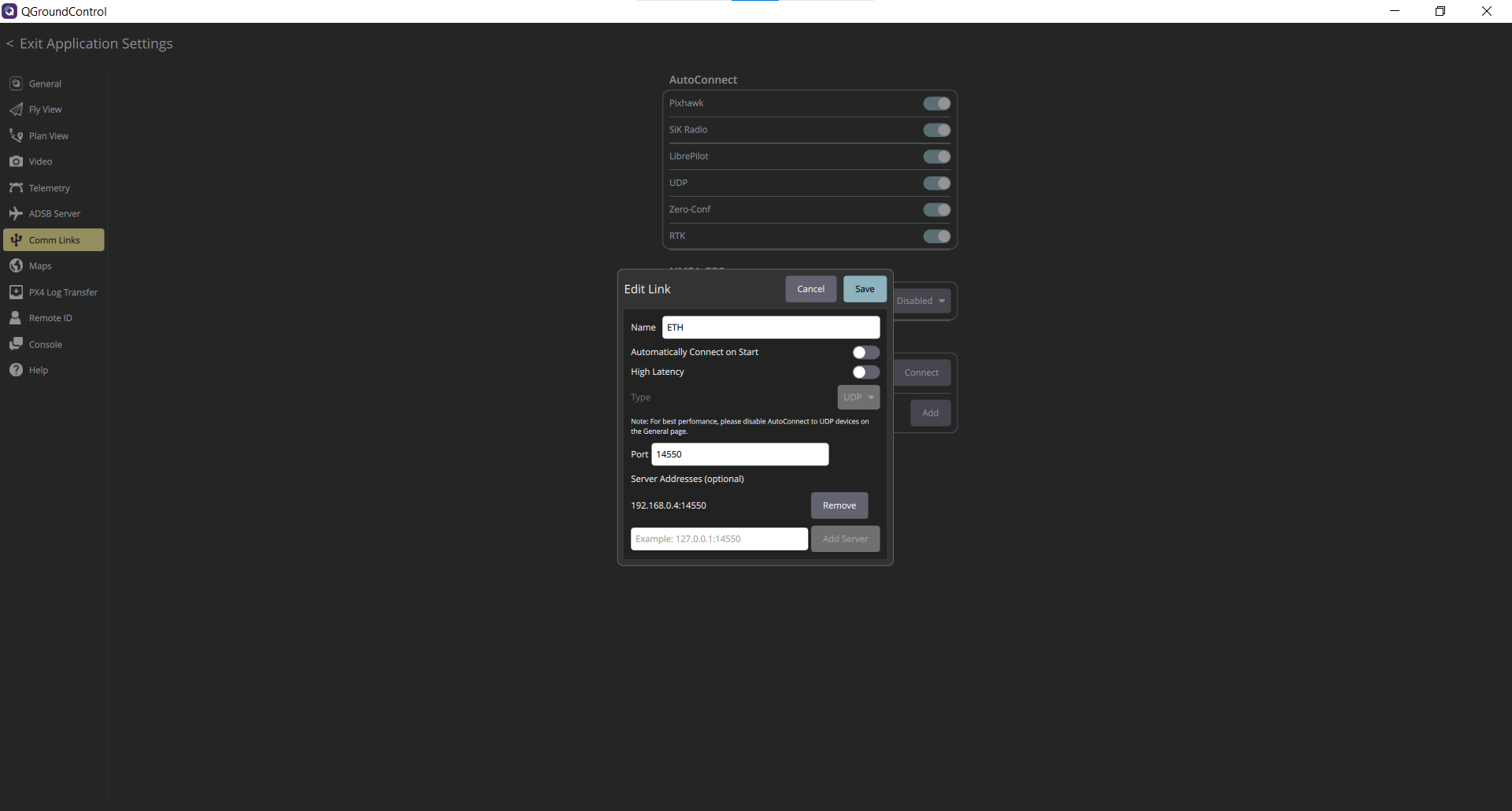
Configuration of QGroundControl:
Problem: When connecting the flight controller (Pixhawk 6x with v2a baseboard) to the computer using an ethernet cable, QGroundControl does not establish a connection with the flight controller.
Additional question: Is it possible to connect a flight controller to a Windows PC using an ethernet cable?