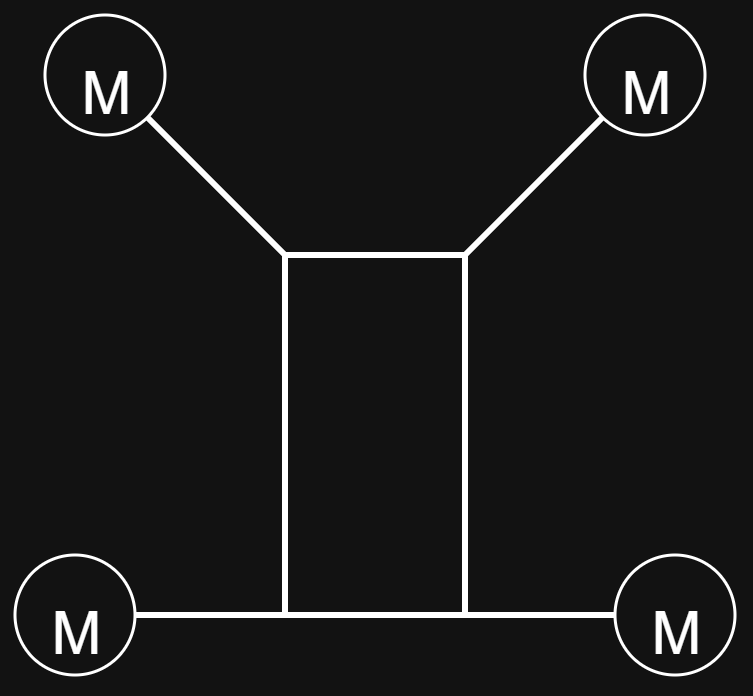
First Topic : CG Position
Since there is no CG (Center of Gravity) positioning adjustment available within the platform, we are unable to achieve the desired configuration when entering the values for motors 1 and 3.
Is there any possibility to modify or adjust the CG envelope? Or, if the entered values are already calculated according to the CG position, will the system still provide the correct result?
Second Topic: Drone Arms
Since the arms are positioned based on the CG (Center of Gravity) reference within the application, their placement does not match our intended configuration. Is there any possibility to adjust or modify the arm positions? Or are the values we enter calculated based on the CG reference and will they provide accurate results for the test conditions?
Hi there,
I do not fully understand your question.
In general: You need to specify the location of your motors with respect to the CG. The code will then take care of outputing the correct control signal.
So representing the drone in your image is not an issue at all.
PX4 does not have any support for “drone arms”. What would you want those to do? Aerodynamic modeling?
As you can see, we are working on a hybrid configuration, and we cannot see the expected visual data in the interface. The fact that the CG envelope is placed exactly in the center, and the visual mismatch, are causing me some questions. Could you advise me on how to proceed without being misled by the image displayed in the interface after the positioning is given, as long as the results are correct? (Also, the processes I’m trying to carry out involve examining aspects such as aerodynamic modeling and mechanical analysis in drone integration.)
Proceed as follows:
Measure the motor positions relative to the CG on your physical drone. Then enter your mesurements in the Actuators tab, if you use QGC (an approximate example of your config is below).
The arms in that visualization may not be correct, but you can ignore them. All you should care about is the GC and the motor positions.
Also, the Picture in the airframe tab may be slightly different from your design - that does not matter as well.