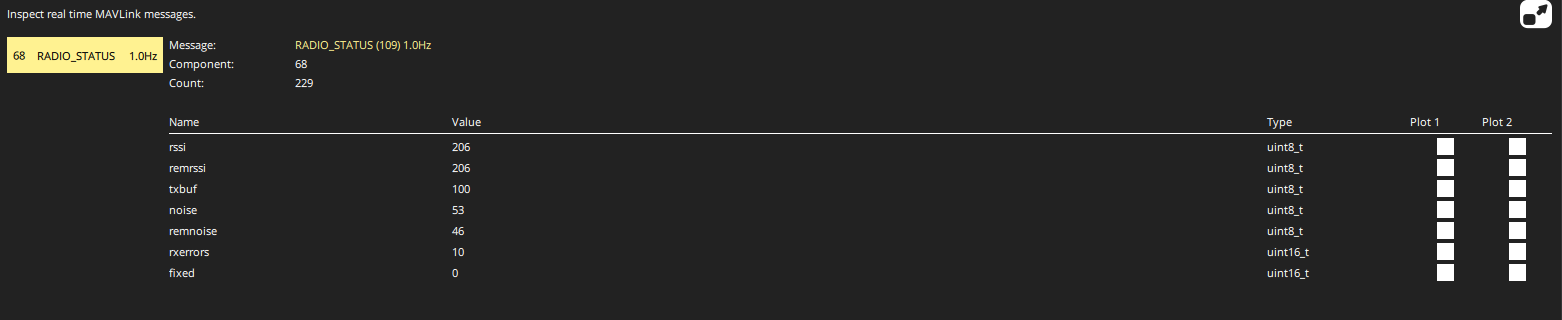
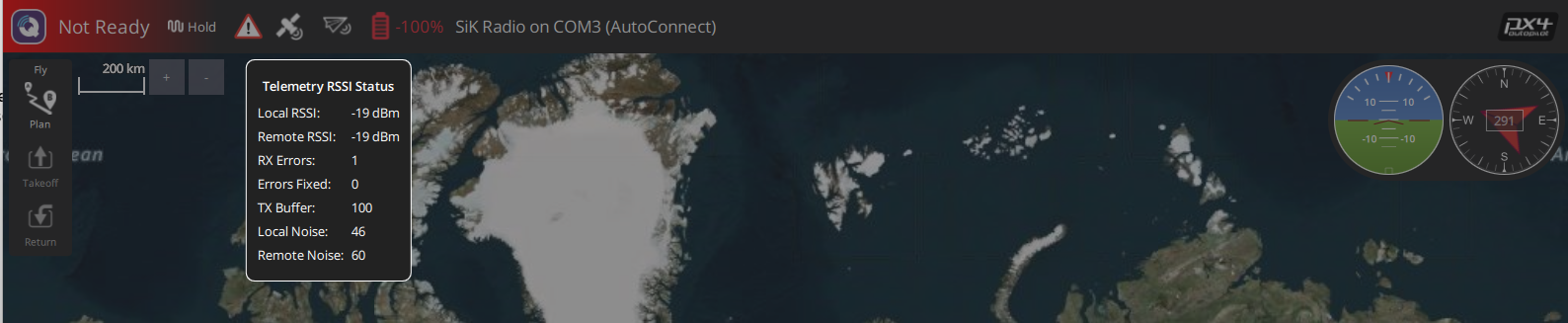
I have an issue where I am unable to connect to PX4 running on OrangeCube+ using RFD868x radio link. In short it seems that the radio is working but I cannot make any sort of contact through QGroundControl to the PX4.
I have a Cube Orange+, with following firmwares:
PX4 version: v1.14.3
QGroundControl: v4.4.5 (I have also tried 5.0 and earlier versions but all have same behavior.)
(I need to use 1.14.3 as I am compiling the firmware through MATLAB for generating flight control laws in Simulink and deploying to PX4.)
I get solid green on both radios with short red flashes, which should indicate there is a link between the two radios.
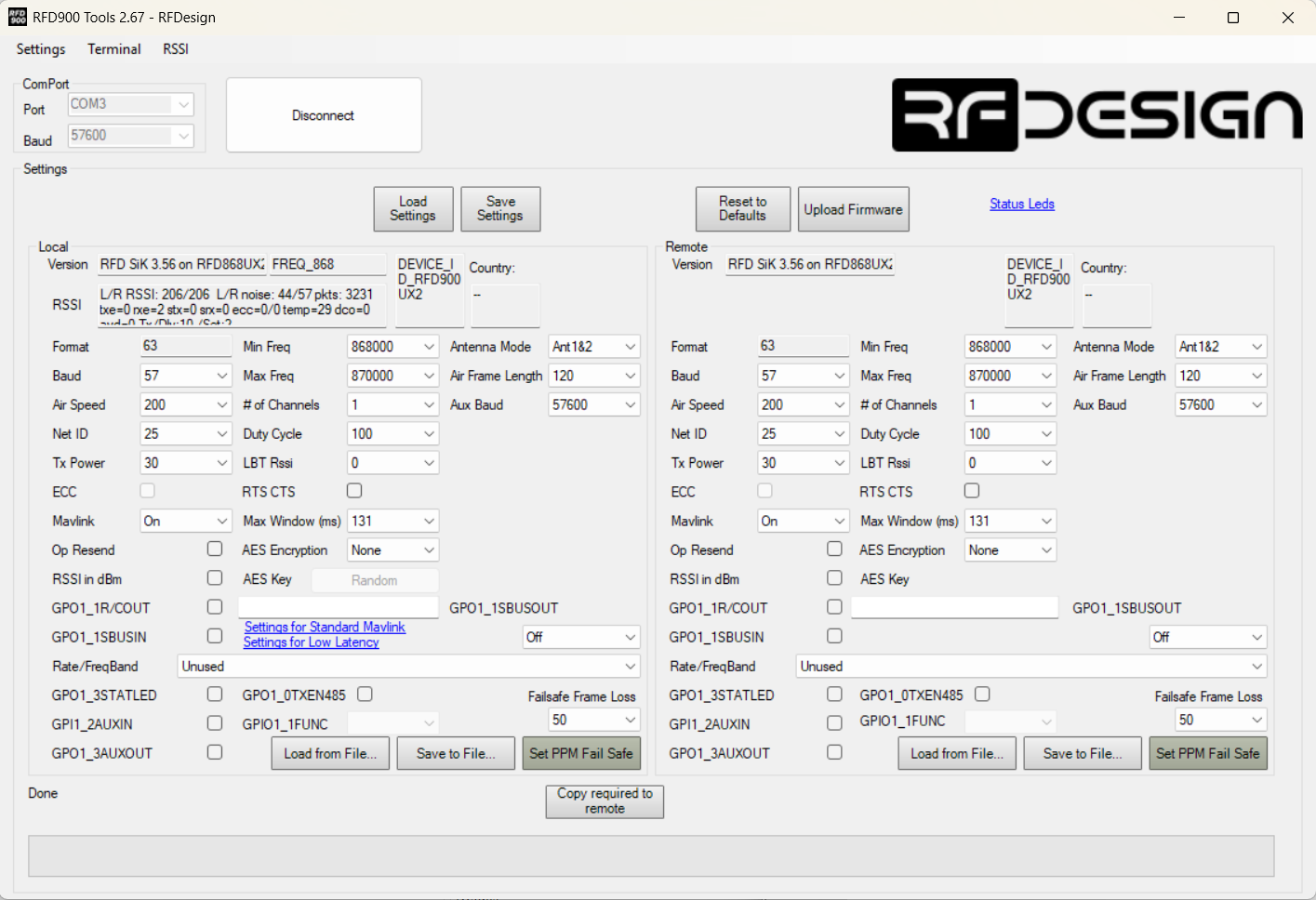
On RFD Tools I have the following default settings to the radios. I am also able to upload and change settings just fine, so it seems the radio link as such is working:
When I have both USB and RFD868 plugged in to my laptop (in order to access MAVLink console) I get with mavlink status:
nsh> mavlink status
instance #0:
mavlink chan: #0
type: GENERIC LINK OR RADIO
flow control: OFF
rates:
tx: 486.6 B/s
txerr: 0.0 B/s
tx rate mult: 1.000
tx rate max: 2880 B/s
rx: 16.9 B/s
rx loss: nan%
FTP enabled: NO, TX enabled: YES
mode: Minimal
Forwarding: Off
MAVLink version: 1
transport protocol: serial (/dev/tty@576004 @57600)
instance #1:
mavlink chan: #1
type: GENERIC LINK OR RADIO
flow control: ON
rates:
tx: 383.0 B/s
txerr: 0.0 B/s
tx rate mult: 0.326
tx rate max: 1200 B/s
rx: 13.0 B/s
rx loss: nan%
FTP enabled: YES, TX enabled: YES
mode: Normal
Forwarding: On
MAVLink version: 1
transport protocol: serial (/dev/@57600tyS0 @57600)
instance #2:
GCS heartbeat valid
mavlink chan: #2
type: USB CDC
flow control: ON
rates:
tx: 21280.8 B/s
txerr: 0.0 B/s
tx rate mult: 1.000
tx rate max: 100000 B/s
rx: 90.8 B/s
rx loss: 0.0%
Received Messages:
sysid:255, compid:190, Total: 144 (lost: 0)
FTP enabled: YES, TX enabled: YES
mode: Config
Forwarding: On
MAVLink version: 2
transport protocol: serial (/dev@2000000ttyACM0 @2000000)
ping statistics:
last: 0.28 ms
mean: 4.06 ms
max: 47.72 ms
min: 0.28 ms
dropped packets: 0
It looks there is some data going on the instances 0 and 1 (and instance 2 of course being the USB).
If I have RFD900 Tools connected to COM3 while opening QGroundControl, I get following warning in the Console log:
[D] at C:\a\qgroundcontrol\qgroundcontrol\src\comm\SerialLink.cc:209 - “open failed “Access is denied.” QSerialPort::PermissionError “SiK Radio on COM3 (AutoConnect)” autconnect: true”
To me this seems like QGroundControl has detected that there is a SiK Radio on COM3. When I start QGroundControl without the RFD900 Tools blocking the port I dont get that error.
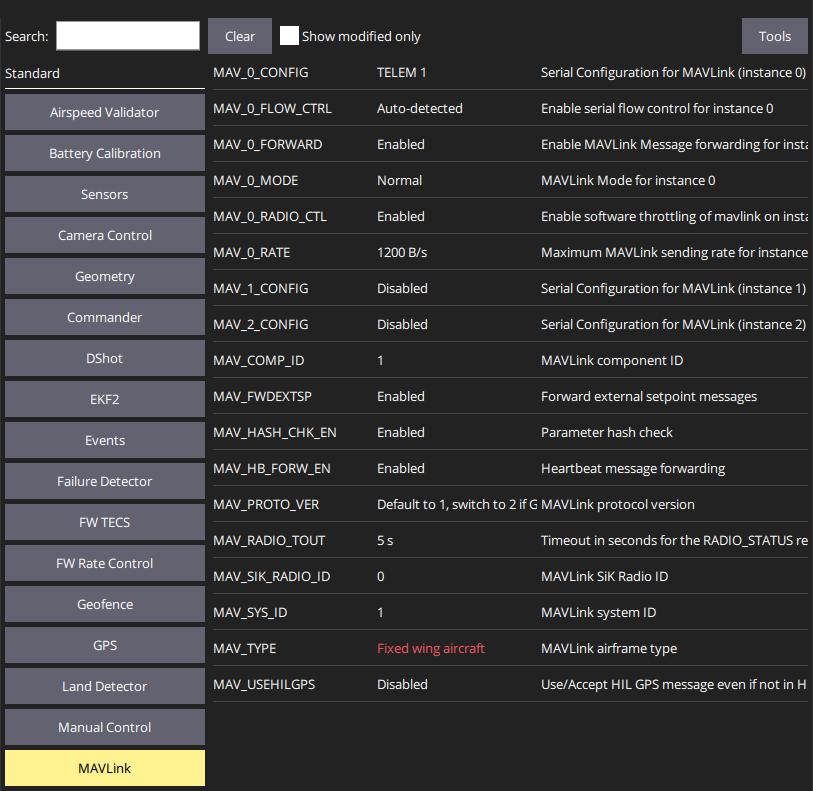
I have the following setting in MAVLink for the vehicle:
When attempting to just get a communication with the RFD868, the system simply remain in “disconnected” state. When I set manually the COM3 as Serial communication link:
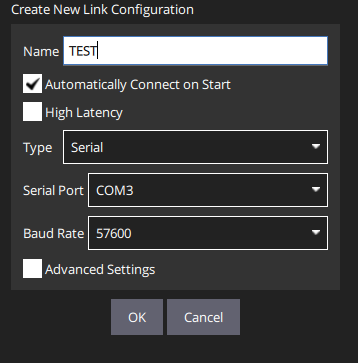
and try to connect via the button I see in the QGroundControl Console some errors referring to MAVLink:
[D] at qrc:/qml/LinkSettings.qml:81 - “clicked SerialConfiguration(0x1d0394f5330) SerialLink(0x1d0397d19a0)”
[E] at qrc:/qml/MavlinkSettings.qml:0 - “qrc:/qml/MavlinkSettings.qml:0: ReferenceError: object is not defined”
[E] at qrc:/qml/MavlinkSettings.qml:0 - “qrc:/qml/MavlinkSettings.qml:0: ReferenceError: object is not defined”
[E] at qrc:/qml/MavlinkSettings.qml:0 - “qrc:/qml/MavlinkSettings.qml:0: ReferenceError: object is not defined”
[E] at qrc:/qml/MavlinkSettings.qml:0 - “qrc:/qml/MavlinkSettings.qml:0: ReferenceError: object is not defined”
[E] at qrc:/qml/MavlinkSettings.qml:0 - “qrc:/qml/MavlinkSettings.qml:0: ReferenceError: object is not defined”
[E] at qrc:/qml/MavlinkSettings.qml:756 - “qrc:/qml/MavlinkSettings.qml:756: ReferenceError: object is not defined”
[E] at qrc:/qml/MavlinkSettings.qml:756 - “qrc:/qml/MavlinkSettings.qml:756: ReferenceError: object is not defined”
[E] at qrc:/qml/MavlinkSettings.qml:756 - “qrc:/qml/MavlinkSettings.qml:756: ReferenceError: object is not defined”
[D] at qrc:/qml/LinkSettings.qml:81 - “clicked SerialConfiguration(0x1d0394f5330) SerialLink(0x1d0397d19a0)”
I am not sure if these link to the above issues. I have the RFD868 wired directly to the TELEM1 output of the board, there is currently no external power.
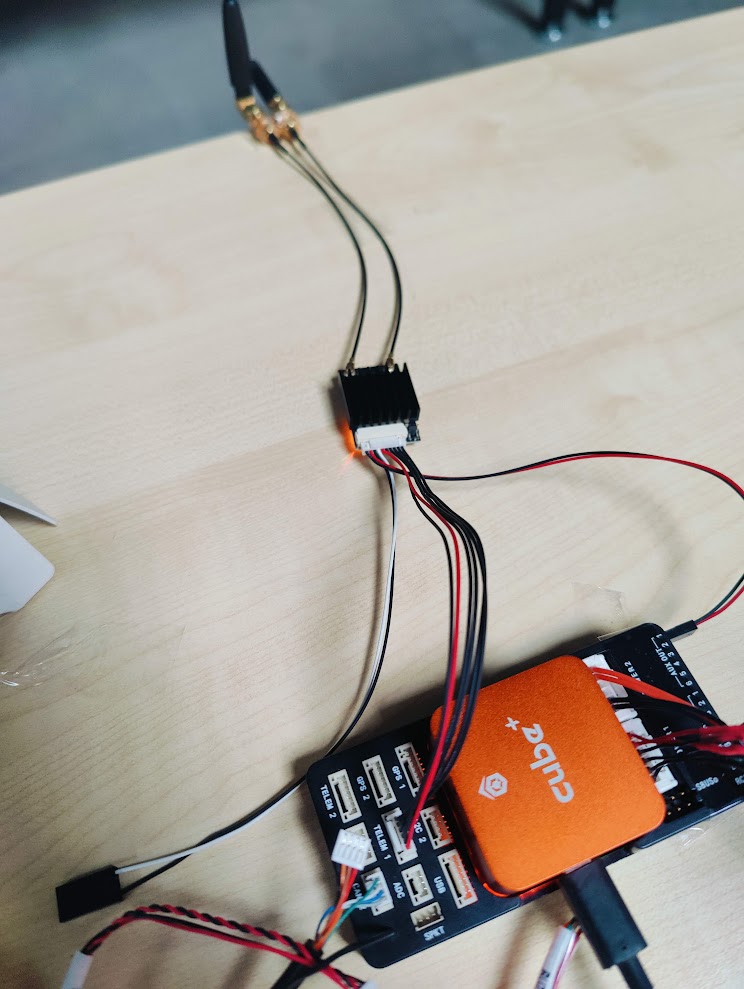
I am not sure if the issue is on the MAVlink, PX4, or QGroundControl station side.