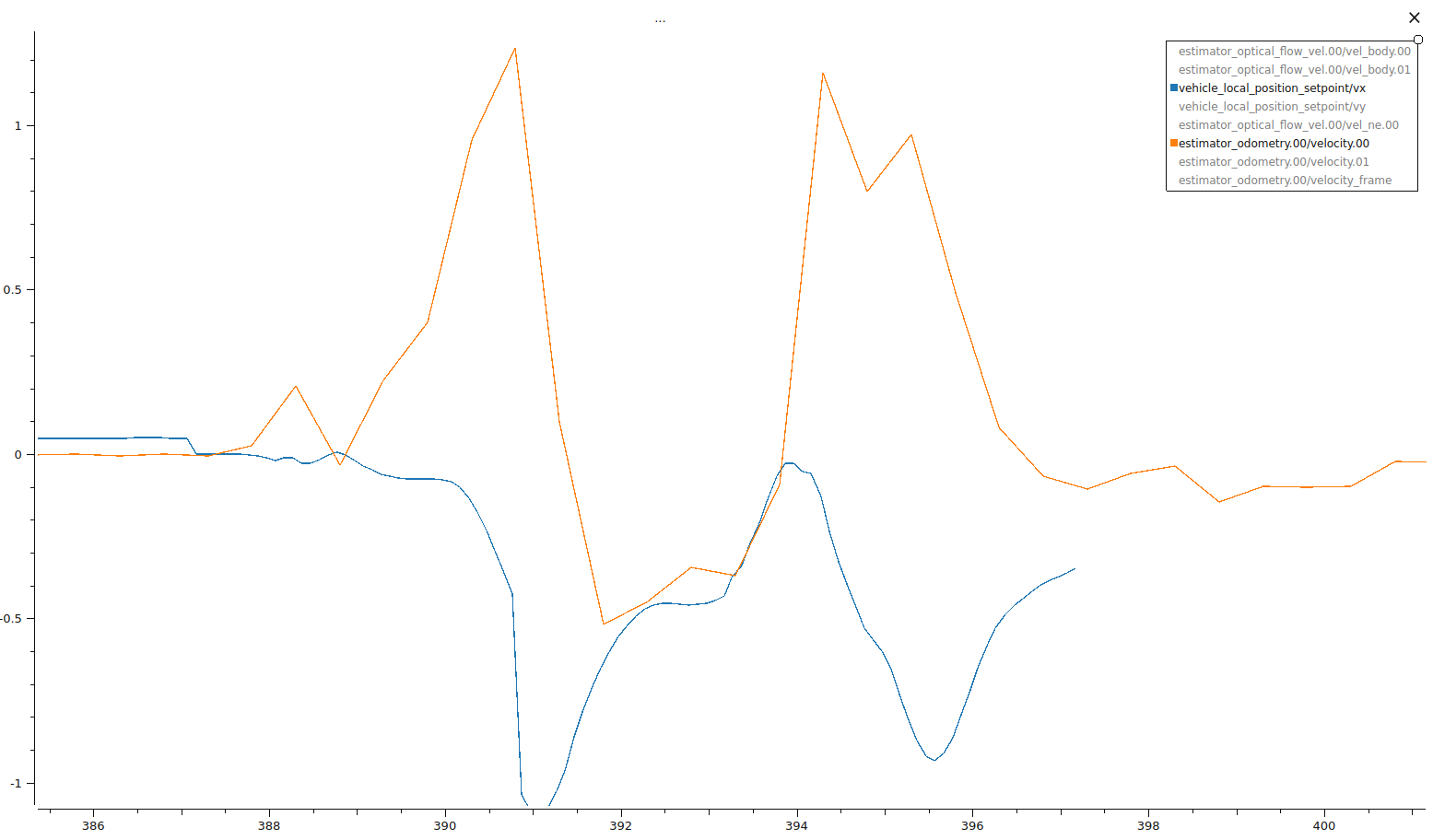
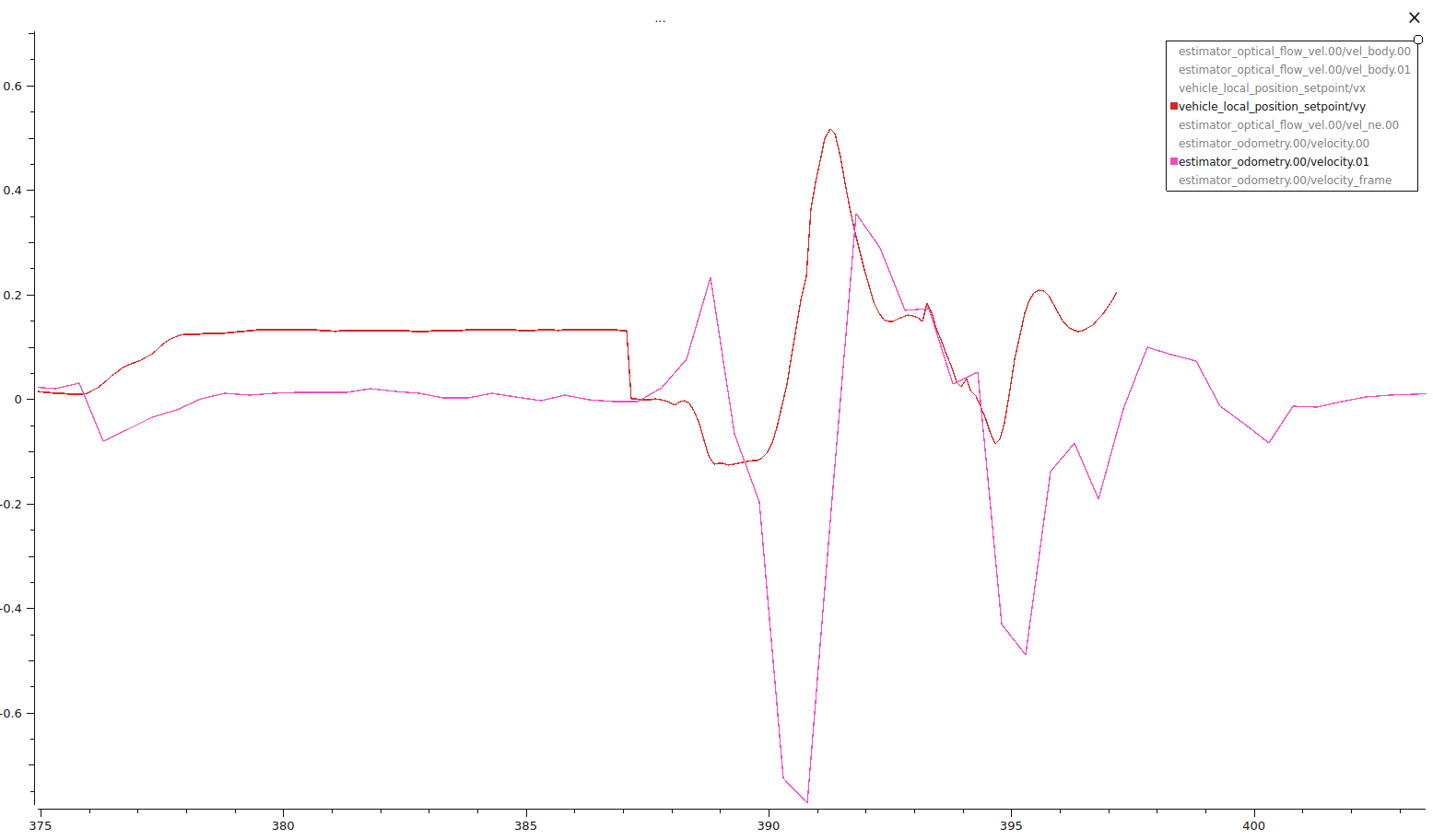
I am experiencing what seems to be large instabilities in the velocity estimators. Velocity estimates and setpoints appear to be fighting each other. For both x and y estimates, when the vehicle estimates it’s moving significantly in one direction, the setpoints immediately get set to the opposite direction. The velocities and setpoints appear to be somewhat oscillating as shown in my plots? If they are oscillating then its oscillating larger than then the room causing crashes. Currently, the drone initially goes forward and to the left, then the setpoints bring it back to backwards and to the right. The drone does not seem to know it has reached the setpoints until it crashes into a wall.
Flight Review: https://review.px4.io/plot_app?log=009075a3-6b5d-44c6-a97a-f46dc67feeee
- I’m running this indoors with only optical flow sensor, no GPS.
- I’m using the Holybro H-Flow optical flow sensor
- Using offboard mode.
- For the logs, flight begins around 385 seconds and crashes around 395 seconds.
Questions:
- The current theory is that the optical flow sensor isn’t picking up enough features to accurately estimate the velocity, probably due to a smudge or a scratch on the lens. I’ve seen other posts describe taking off the glass covering to the camera of the optical flow sensor as a possible solution. Is this worthwhile to do or would I just be breaking an expensive sensor?
- For the optical flow sensor, how much does the quality metric correspond to optical flow performance? What range should it be in to be considered functional?
- Is there any parameters I can set to mitigate this optical flow issue?
- What else can I look to in order to trouble shoot this?
x velocity vs setpoints:
y velocity vs setpoints:
Have you verified the orientation is set correctly?
I appreciate the response!
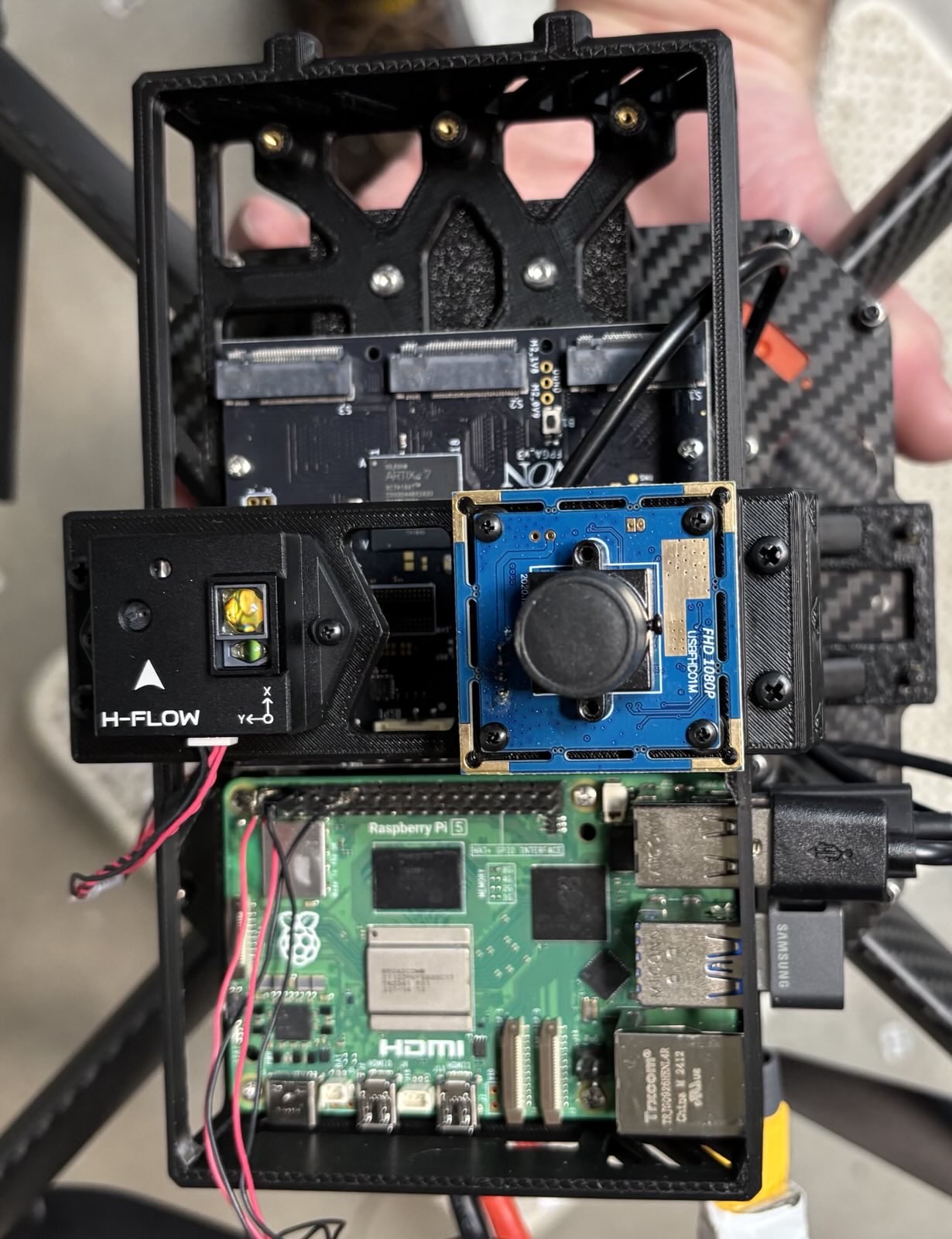
Yes. Currently, the h-flow has an arrow on the sensor indicating the direction it should be facing, it is facing the same direction as the arrow for my orange cube plus.
(picture for proof, up is forward for the controller)
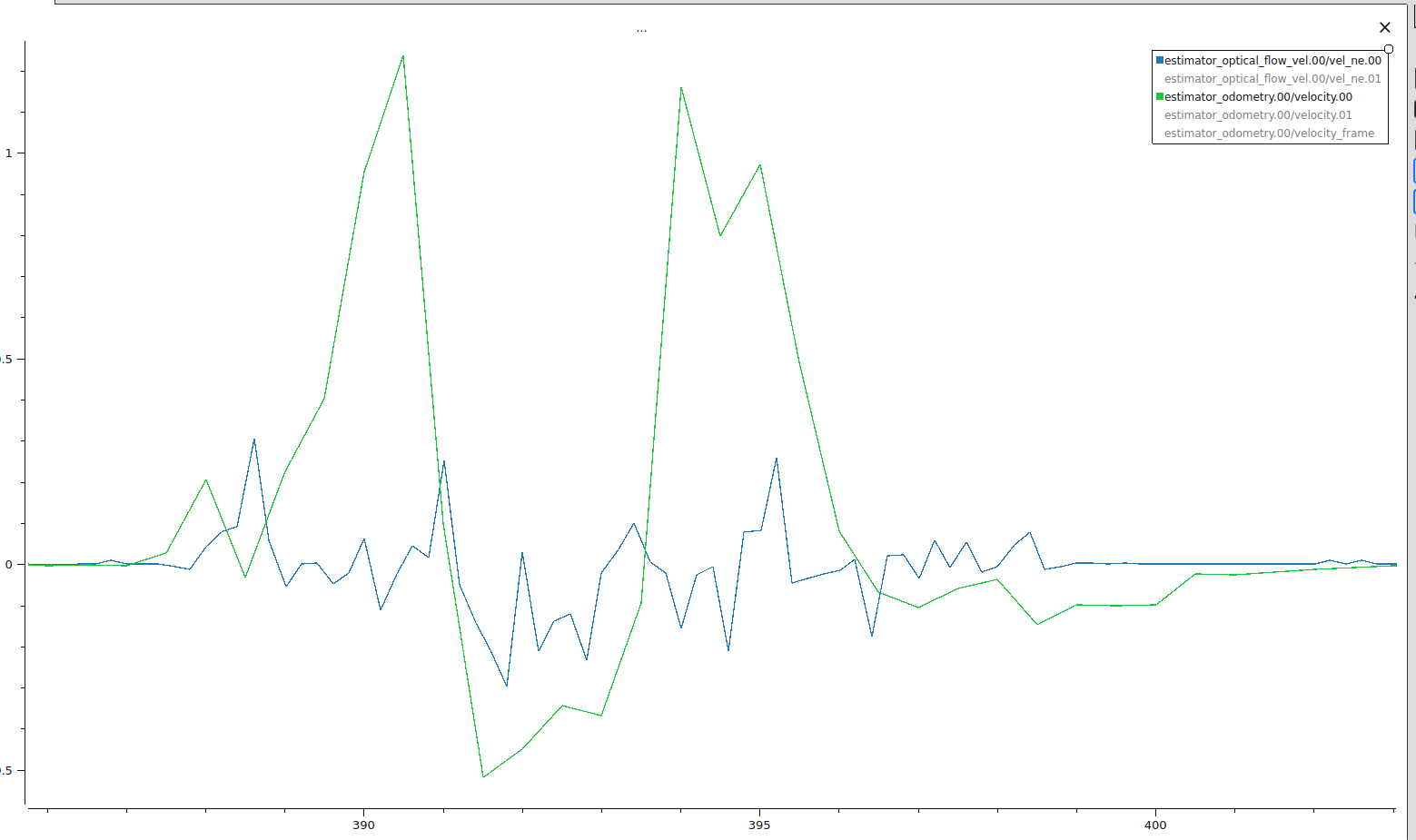
Looks as if the optical flow velocity is uncorrelated with estimated velocity. Also does not seem to correlate to any specific direction as well, which shouldn’t be the case.
Have you done a basic hand-held test to check whether the indicated velocities are correct as you move it across some textured surface?
I think the velocities are incorrect after doing the basic hand held test.
Here is the flight logs from the walk: https://review.px4.io/plot_app?log=372811c4-4471-4140-b7b4-0989aca55717
It was walked in a roughly 1 m square, first right, then forward, then left, and finally downwards. It was walked at around 0.5 to 1 m/s. For the flight review, the hand held test starts around 19:30.
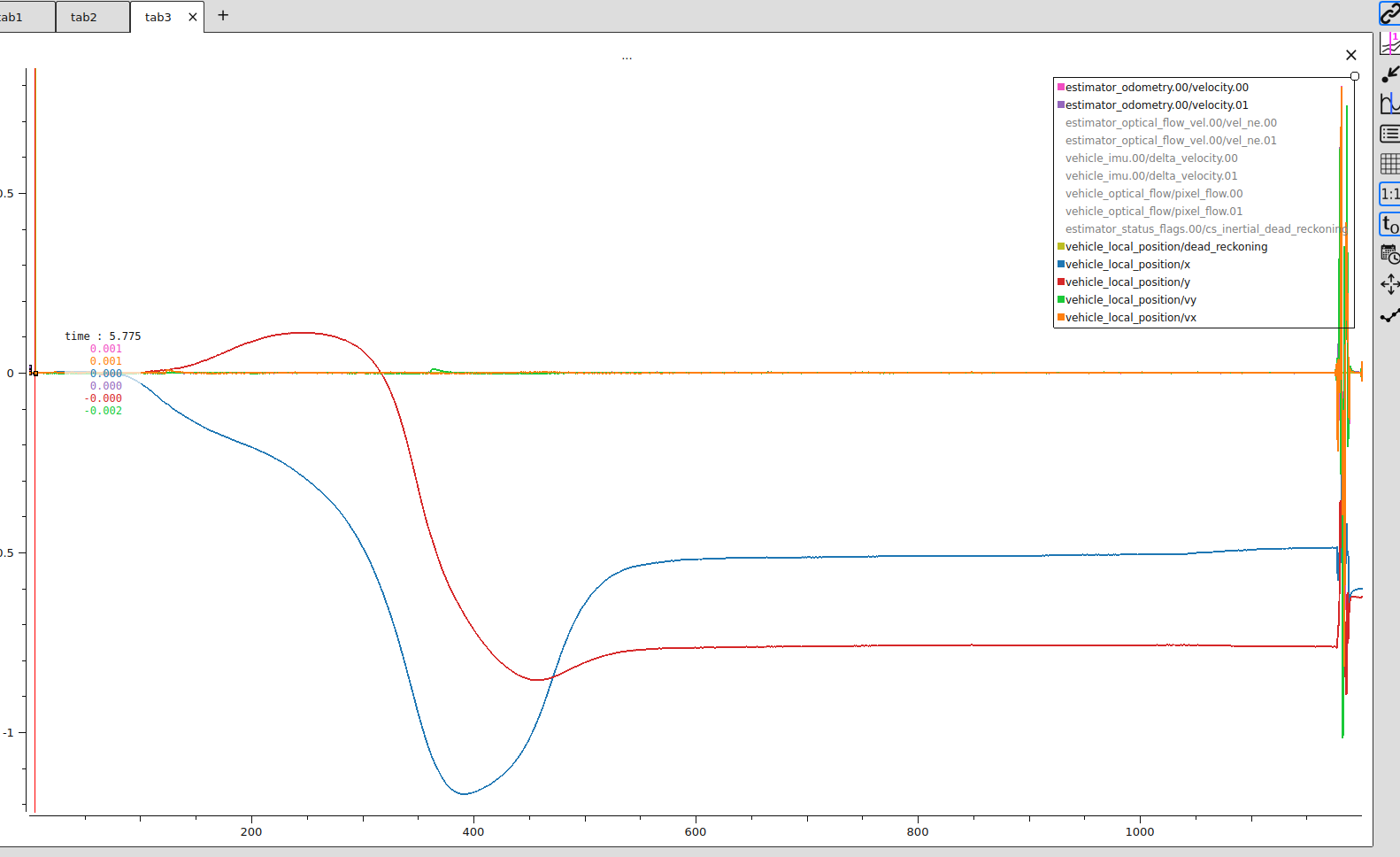
It seems that the positioning estimates are nonsensical (ignoring the positioning estimates generated before the hand held test as thats just stuff that was being done before the test). Which indicates that the velocities are wrong. They do not seem to be going in the wrong directions, but they are incredibly noisy and dampened, particularly the velocity derived by the optical flow.
Maybe a hint or not, but the divergence of the x and y position before the test are pretty extreme as well without any fluctuations to the velocity. It’s not even in inertial dead reckoning.
We tried a hand held test with the ARK flow sensor instead and we still get poor results: https://review.px4.io/plot_app?log=1b86f068-c07b-49a2-8d97-1cb53b7acc0c
Though the gyro dominates the signal for this one (it also kinda did a little for the first as well), but this is probably due to the poor way we mounted the of sensor. Still, it performs fairly poorly which is strange for both optical flow sensors (We might be the common denominator between the two! lol)
Accidentally had something covering the optical flow sensor for the ARK flow and now the drone can hover all good! For the original optical flow sensor, my guess is that the h-flow optical flow sensor has a smudge or a scratch on the protective glass which is messing up its readings. I am going to remove that piece of glass, and see if that fixes the original problem. I will then close out this thread with a proper solution.