

Hi guys. As I experience “GNSS Data Fusion stopped” at higher speeds I think the best solution is to increase the GPS update rate of my Holybro RTK GPS F9P. I did all the necessary changes in u-center (at least as far as I can see, changing rate, baudrate etc.) but whatever I try the Rate on the PX4 side doesn’t change checking MAVLink Inspector or using “gps status“ command in MAVLink Console it always stays at 5Hz. Can anyone help me how to make this changes? Is there a way via parameter changes or do I have to make some hard code changes (if yes any idea in which section?). Thanks for your help
Hi @MikeRogerIt. Sensor publish rate not related with what you see in mavlink inspector. To change mavlink inspector rate you can use this command in console:
mavlink stream -r 50 -s GPS_RAW_INT -d /dev/ttyS0 (for telem1 port)
This will change mavlink stream rate for telem1 port. If you connected telemetry to telem1 port you will see that in qgrounda rate for this message will be 50Hz. Bu when you reboot your board this rate will return back to its default value. For permanent effect change it on source code.
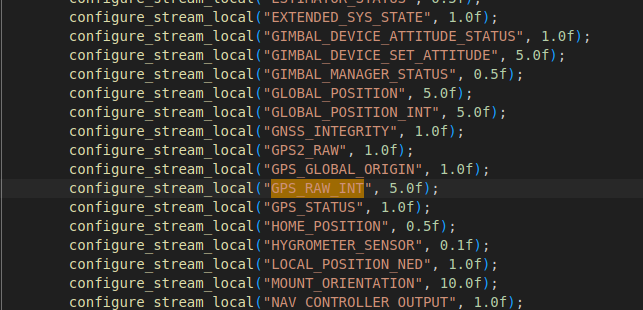
But in your case I think this is not the aim point. To be sure that your GPS Update rate changed log some data and look changes between two sample. To sum up mavlink inspector not the correct indicator to understand sensor update rate.
Hi there. Thanks a lot for your help. Will do
You can check the uorb topic update rate with this command in the nsh (mavlink console)
uorb top sensor_gps