Hello,
I am looking for help in integrating Gazebo with PX4. Is there any plugin for PX4? Since my drone uses Pixhawk 6x, I figured it would be important to replicate that in the Gazebo simulation.
Thank you for your help,
Mustafa


Hello,
I am looking for help in integrating Gazebo with PX4. Is there any plugin for PX4? Since my drone uses Pixhawk 6x, I figured it would be important to replicate that in the Gazebo simulation.
Thank you for your help,
Mustafa
Not sure what you mean, you can just run SITL?
Hello @Dr.Gadget
I have installed ROS2. I also installed Gazebo Fortress from the following
I now attempted to install Gazebo Simulation | PX4 Guide (v1.15)
for Gazebo Vehicles | PX4 Guide (v1.15)
It seems the “make” did not recognize gz_x500_depth target. Would you please let me know what I am doing wrong? Any help is much appreciated.
Mustafa
jetson@ubuntu:~/git/PX4-Autopilot$ make px4_sitl gz_x500_depth
-- PX4_GIT_TAG: v1.17.0-alpha1-290-gf46fd89057
-- Found PythonInterp: /usr/bin/python3 (found suitable version “3.10.12”, minimum required is “3”)
-- PX4 config file: /home/jetson/git/PX4-Autopilot/boards/px4/sitl/default.px4board
-- PLATFORM posix
-- ROMFSROOT px4fmu_common
-- TESTING y
-- ETHERNET y
-- ROOT_PATH .
-- PARAM_FILE /fs/mtd_params
-- PX4 config: px4_sitl_default
-- PX4 platform: posix
-- PX4 lockstep: enabled
-- The CXX compiler identification is GNU 11.4.0
-- The C compiler identification is GNU 11.4.0
-- The ASM compiler identification is GNU
-- Found assembler: /usr/bin/cc
-- Detecting CXX compiler ABI info
-- Detecting CXX compiler ABI info - done
-- Check for working CXX compiler: /usr/bin/c++ - skipped
-- Detecting CXX compile features
-- Detecting CXX compile features - done
-- Detecting C compiler ABI info
-- Detecting C compiler ABI info - done
-- Check for working C compiler: /usr/bin/cc - skipped
-- Detecting C compile features
-- Detecting C compile features - done
-- cmake build type: RelWithDebInfo
-- Could NOT find gz-transport (missing: gz-transport_DIR)
-- Gazebo simulation bridge module disabled: missing dependencies
-- Found Protobuf: /usr/lib/aarch64-linux-gnu/libprotobuf.so (found version “3.12.4”)
-- Could NOT find gz-transport (missing: gz-transport_DIR)
-- Could NOT find gz-sim (missing: gz-sim_DIR)
-- Could NOT find gz-sensors (missing: gz-sensors_DIR)
-- Could NOT find gz-plugin (missing: gz-plugin_DIR)
-- Found Java: /usr/lib/jvm/jdk-25.0.1-oracle-aarch64/bin/java (found version “25.0.1”)
-- ROMFS: ROMFS/px4fmu_common
Architecture: arm64
==> CPACK_INSTALL_PREFIX = @DEB_INSTALL_PREFIXDEB_INSTALL_PREFIX@
-- Configuring done
-- Generating done
-- Build files have been written to: /home/jetson/git/PX4-Autopilot/build/px4_sitl_default
gmake[1]: *** No rule to make target ‘gz_x500@DEB_INSTALL_PREFIXDEB_INSTALL_PREFIXdepth’. Stop.
make: *** [Makefile:227: px4_sitl] Error 2
Your problem starts here.
gz-transport is likely a package brought in by the gazebo apt repository that should have been loaded when running this part of the ubuntu setup script. I don’t have a working installation at the moment so I can’t hunt this down. What OS are you on and what steps did you follow to stand up your development environment from the beginning?
Hi @Joshua_Kordani When I run ubuntu.sh, I felt that it did not complete all the way.
Here is the output:
jetson@ubuntu:~/git$ bash ./PX4-Autopilot/Tools/setup/ubuntu.sh
[ubuntu.sh] Starting…
[ubuntu.sh] arch: aarch64
[ubuntu.sh] Ubuntu 22.04
[ubuntu.sh] Installing PX4 general dependencies
[sudo] password for jetson:
Ign:1 http://packages.ros.org/ros/ubuntu jammy InRelease
Hit:2 Index of linux/ubuntu/ jammy InRelease
Hit:3 https://repo.download.nvidia.com/jetson/common r36.4 InRelease
Hit:4 http://packages.ros.org/ros2/ubuntu jammy InRelease
Err:5 http://packages.ros.org/ros/ubuntu jammy Release
404 Not Found [IP: 64.50.236.52 80]
Hit:6 Index of /repos/code/ stable InRelease
Hit:7 https://repo.download.nvidia.com/jetson/t234 r36.4 InRelease
Hit:8 Index of /ubuntu-ports jammy InRelease
Hit:9 https://repo.download.nvidia.com/jetson/ffmpeg r36.4 InRelease
Hit:10 Index of /gazebo/ubuntu-stable/ jammy InRelease
Hit:11 http://ports.ubuntu.com/ubuntu-ports jammy-updates InRelease
Hit:12 https://librealsense.intel.com/Debian/apt-repo jammy InRelease
Hit:13 Index of /mosquitto-dev/mosquitto-ppa/ubuntu jammy InRelease
Hit:14 Index of /ubuntu-ports jammy-backports InRelease
Hit:15 Index of /ubuntu-ports jammy-security InRelease
Reading package lists…
E: The repository ‘http://packages.ros.org/ros/ubuntu jammy Release’ does not have a Release file.
W: https://librealsense.intel.com/Debian/apt-repo/dists/jammy/InRelease: Key is stored in legacy trusted.gpg keyring (/etc/apt/trusted.gpg), see the DEPRECATION section in apt-key(8) for details.
Does the order of installation steps matter? As I said above, I installed ROS2 (Humble) first and PX4 next. I wonder if I should do all over again and uninstall everything and follow the steps in the order mentioned in the document. Thank you for your guidance.
Mustafa
Part of the installation of ros should have been to get it’s repo added to your repo list but it doesn’t look like that’s happened.
Also, I don’t see an entry for gazebo here. Those are the reasons why your setup isn’t working. If I were you I’d double check the ros installation steps and make sure the correct entries for your ros distro are in /etc/apt/sources.list (or sources.list.d/). And walk through the ununtu.ah so see if I can figure out why gazebo isn’t being installed.
@Joshua_Kordani Thanks for your help. I removed ROS2 and deleted the PX4 git folder. I cleaned up the left over files in /etc/apt/sources.list.d and I rebooted the Jetson Orin Nano.
I cloned the PX4 sources and executed ubuntu.sh.
Here is the last few print outs. I think this is an successful installation.
…
…
Setting up libgz-sensors8-imu-dev:arm64 (8.2.2-1~jammy) …
Setting up libgz-sensors8-air-speed-dev:arm64 (8.2.2-1~jammy) …
Setting up libgz-gui8-dev:arm64 (8.4.0-1~jammy) …
Setting up libgz-physics7-dartsim-dev:arm64 (7.6.0-1~jammy) …
Setting up libgz-sensors8-camera-dev:arm64 (8.2.2-1~jammy) …
Setting up libgz-sensors8-gpu-lidar-dev:arm64 (8.2.2-1~jammy) …
Setting up libgz-sensors8-thermal-camera-dev:arm64 (8.2.2-1~jammy) …
Setting up libgz-sensors8-air-pressure-dev:arm64 (8.2.2-1~jammy) …
Setting up libgz-sensors8-logical-camera-dev:arm64 (8.2.2-1~jammy) …
Setting up libgz-sensors8-depth-camera-dev:arm64 (8.2.2-1~jammy) …
Setting up libgz-sensors8-dev:arm64 (8.2.2-1~jammy) …
Setting up libgz-physics7-dev:arm64 (7.6.0-1~jammy) …
Setting up libgz-sim8-dev:arm64 (8.10.0-1~jammy) …
Setting up libgz-launch7-dev:arm64 (7.0.0-1~jammy) …
Setting up gz-harmonic (1.0.0-1~jammy) …
Processing triggers for mailcap (3.70+nmu1ubuntu1) …
Processing triggers for desktop-file-utils (0.26-1ubuntu3) …
Processing triggers for hicolor-icon-theme (0.17-2) …
Processing triggers for gnome-menus (3.36.0-1ubuntu3) …
Processing triggers for libc-bin (2.35-0ubuntu3.11) …
Processing triggers for man-db (2.10.2-1) …
Mustafa
This looks better. Are you still stuck, or are you able to move forward?
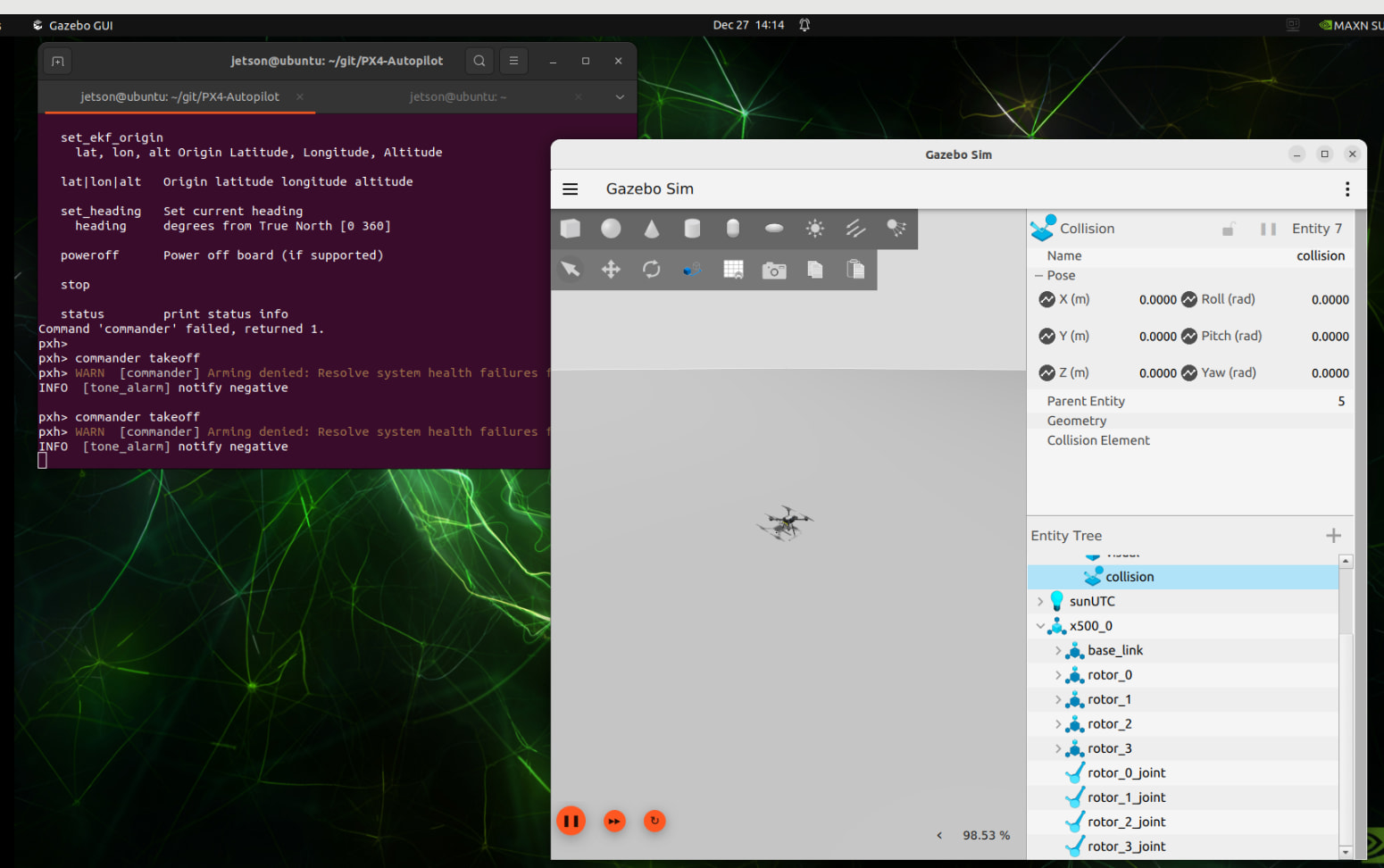
Hi @Joshua_Kordani Will you be able to let me know or who might be able to tell me how to resole the Arming issues? Thank you!
Mustafa
You have to read through the documentation and experiment a bit. You will have to check which prearm check fails. I would e.g suspect you to have no radio/controller connected to the simulation. Either you need to disable that check or connect a gamepad/radio etc.
Thank you for your reply. I appreciate any help that I can get from the experts in this community. I looked at the documentation and found a Python script that sends a heartbeat every 1 second. I am now able to take off with the drone.
Mustafa
For next time @mcayci . Please put ``` around multi line code/log output to make it more readable.